You’ve just paid for your hour, the Pioneer CDJs are glowing in front of you, and you realize your main USB drive isn’t reading because you forgot to sync it in Rekordbox 7.2.17. That sinking feeling isn’t just frustration; it’s the sound of wasted potential and burned lei. Knowing exactly what to bring to a DJ studio session is the difference between a frantic technical struggle and a career-defining recording. We’ve all been there. The pressure to perform is real, and the last thing you want is a hardware glitch killing your vibe when you should be hitting that perfect transition.
This guide is your ultimate 2026 blueprint to mastering your next booking. You’ll learn how to pack like a pro, from preparing your library for AI-powered stem separation to the content tools that turn a practice set into a viral reel. We are breaking down the technical essentials, the content capture kit, and the professional mindset you need to dominate the booth in Timișoara. Get ready to stop troubleshooting and start performing. Your breakthrough is one well-prepared session away.
Key Takeaways
- 🎧 Pack your non-negotiables like wired headphones and dual quarter-inch adapters to ensure a seamless technical flow. Knowing exactly what to bring to a DJ studio session eliminates the stress of technical errors and wasted time.
- 💿 Prepare your digital library using the latest Rekordbox software and FAT32 formatting to guarantee total compatibility with club-standard Pioneer hardware.
- 🎥 Leverage professional 4K video and audio recording features to create high-impact promotional content for booking agencies.
- 🌐 Scale your digital reach by arriving prepared for livestreaming with your branding assets and social media overlays ready to go.
- ⚡ Boost your session efficiency in Timișoara by arriving early and protecting your most valuable asset-your hearing-with pro-grade earplugs.
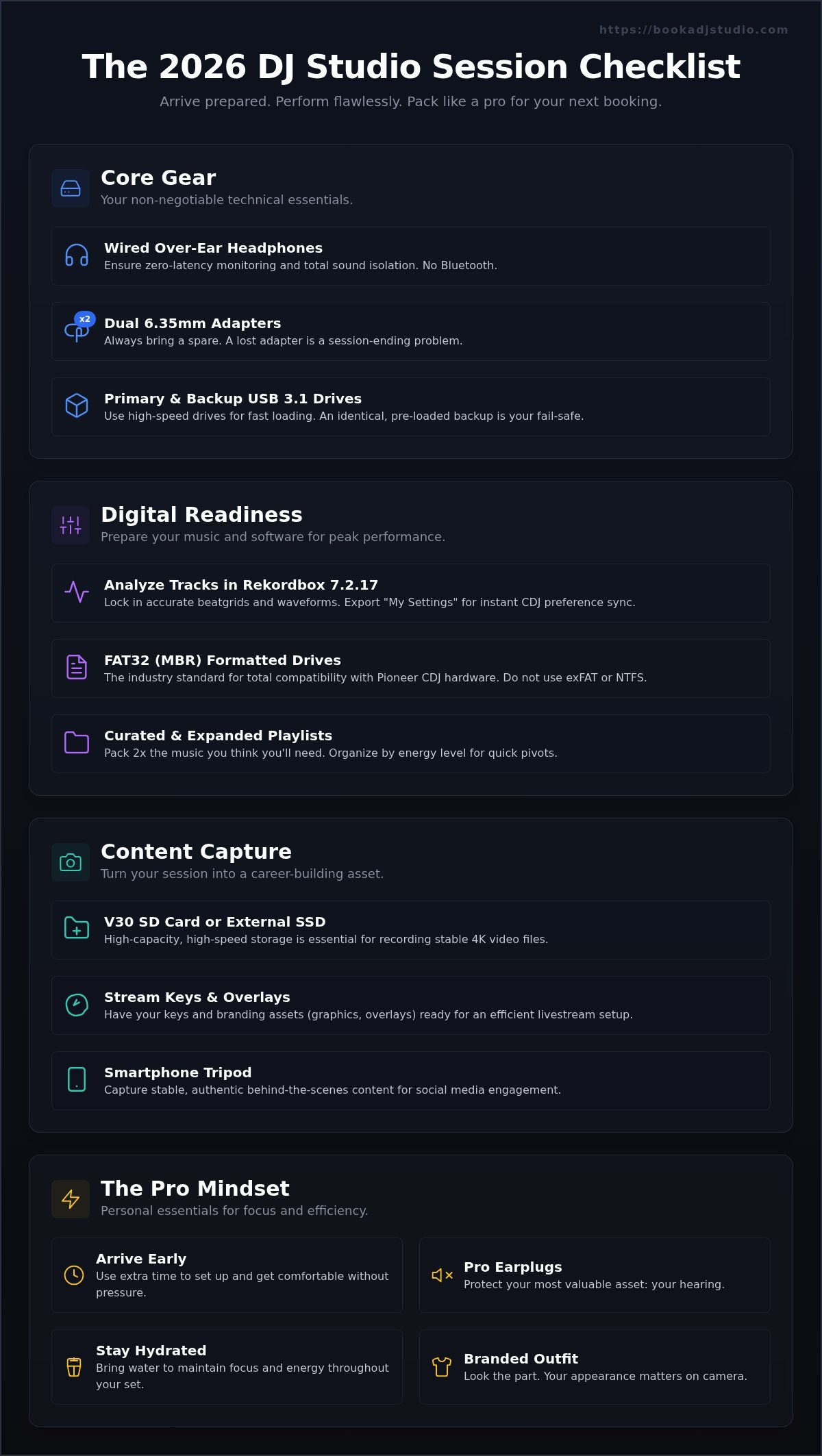
Core Gear: The Non-Negotiable Essentials for Your Session
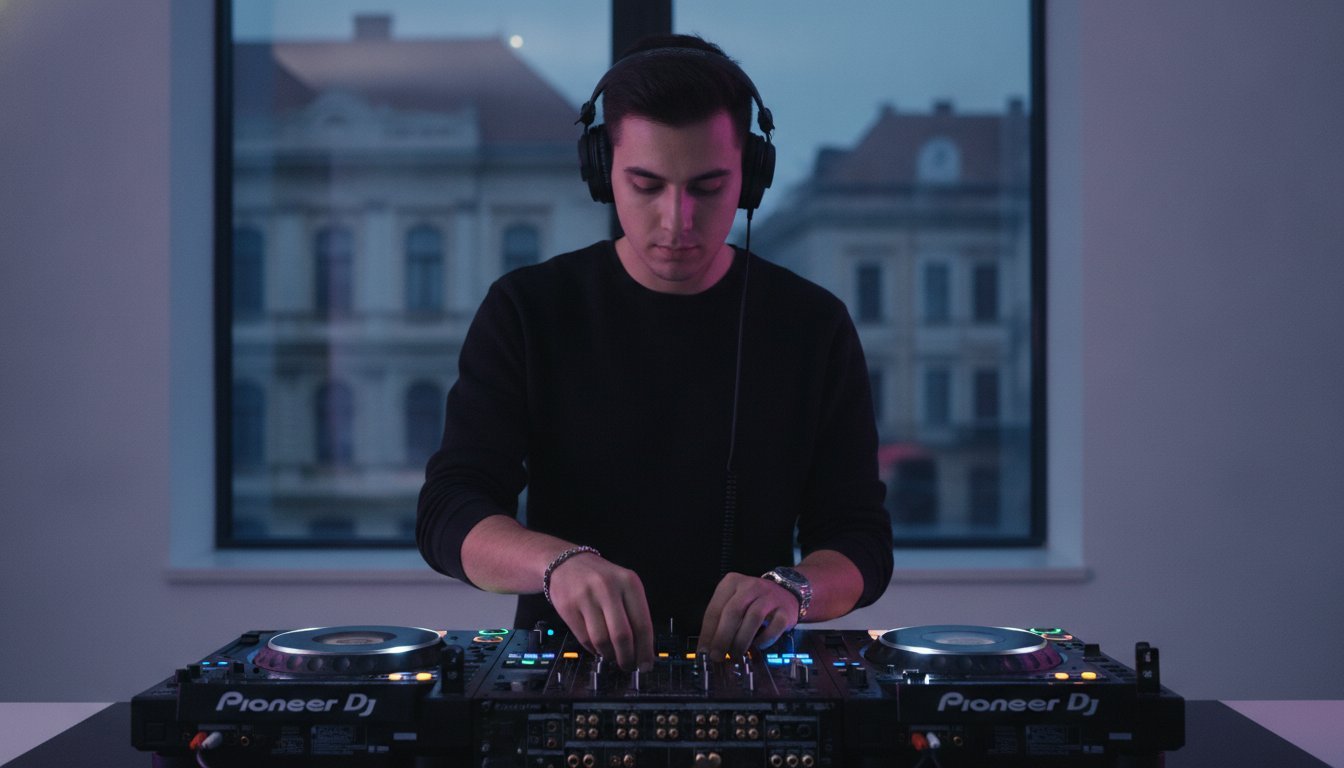
Stepping into a professional booth in Timișoara is your moment to shine. Knowing what to bring to a DJ studio session ensures you spend your time performing, not troubleshooting. Success starts with the right interface between you and the decks.
Headphones and Adapters
Use wired, over-ear headphones for zero latency and total isolation. Always bring two 6.35mm jack adapters; losing one is a vibe killer you can’t afford. Studying DJ equipment essentials confirms that physical, high-fidelity connections are the industry standard for booth reliability. Check your cable length to ensure you have maximum mobility in the booth.
Primary and Backup Storage
Pack high-speed USB 3.0 or 3.1 drives to prevent waveform lag on our club-standard Pioneer players. Always carry an identical backup drive with your emergency set pre-loaded to avoid technical disasters. If you’re using HID mode, don’t forget your laptop and high-quality USB cables. Label your kit to ensure your gear returns home with you. Check the studio gallery to visualize the setup before you pack your bag.
- 🎧 Wired Headphones: No Bluetooth lag, just pure sound.
- 🔌 Dual Adapters: Two 6.35mm jacks for total security.
- 🚀 USB 3.1: Fast Rekordbox loading for complex sets.
- 🛡️ Backup Drive: Your session-saving fail-safe.
Digital Readiness: Preparing Your Music and Software
Digital preparation is the fuel for your performance. When deciding what to bring to a DJ studio session, your library prep is just as vital as your physical kit. A professional drive lets you focus on the mix, not the screen.
The Rekordbox Workflow
Analyze all tracks in Rekordbox 7.2.17 to lock in accurate beatgrids and waveforms. To ensure total compatibility with Pioneer hardware, you must format your USB drives to FAT32 with an MBR partition scheme. Use the “My Settings” feature to export your preferences, like Quantize and Auto Cue, so the CDJs adapt to you instantly. Double-check your hot cues; they are your performance anchors during a high-stakes set.
Playlist Curation Strategies
Pack twice as much music as you think you’ll need. The vibe in a professional studio can shift, and you need the flexibility to pivot. Organize folders by energy level using intelligent playlists to find tracks in seconds. If you plan to record a promotional mix, prepare a setlist but leave room for creative improvisation. This level of organization is key when you book your session with us.
- ✅ Analyze Everything: Use Rekordbox 7.2.17 for precision.
- 📁 2x Music Rule: Be ready for any energy shift.
- ⚙️ My Settings: Sync your CDJ preferences for instant setup.
Content Capture: Gear for Recording and Livestreaming
Your session is a content goldmine, not just a rehearsal. In 2026, capturing your performance is non-negotiable for scaling your digital brand. When planning what to bring to a DJ studio session, you must pack for the lens as much as the speakers. High-quality recording turns one hour in the booth into weeks of social media growth.
Preparing for 4K Video
Pack a high-capacity V30 speed SD card or external SSD to handle raw 4K video files without lag. Check the studio gallery to choose an outfit that pops against our professional lighting. Recording every session allows you to critique your stage presence and technical progress with a professional eye.
Livestreaming and Visuals
Have your stream keys and “Starting Soon” graphics ready on a dedicated drive to save time. This level of preparation is detailed in our guide to Professional DJ Set Recording in Timișoara. Bring a smartphone tripod for authentic behind-the-scenes clips that build deeper connections with your audience.
- 📸 V30 SD Card/SSD: Essential for 4K file stability.
- 🔑 Stream Keys: Copy-paste ready for an instant start.
- 🤳 Phone Tripod: Capture stable BTS content for Reels.
- 👕 Branded Outfit: Look like the pro you’re becoming.
The Pro Mindset: Personal Essentials and Performance Prep
Hearing Protection and Comfort
Protect your most valuable asset. High-fidelity earplugs are non-negotiable for long-term career success. Professional studio monitors are designed for clinical clarity, which can be deceptive. They often feel quieter than they actually are, leading you to crank the volume and fatigue your ears within thirty minutes. This is where “active” practice beats passive playing. By protecting your hearing, you can stay in the zone for a full four-hour block without losing your ability to hear high-end frequencies. You can learn more about optimizing your environment in our guide to Master Your Mix. Wear comfortable footwear too. Standing on a hard floor for hours in the wrong shoes will kill your creative flow faster than a bad transition.
Creative Goal Setting
Go into the room with a mission. Don’t just play tracks from start to finish. Define one specific skill to dominate during your hour, such as phrasing, harmonic mixing, or mastering a new effects chain on the Pioneer mixer. Bring a “reference track”-a song you know perfectly-to calibrate your ears to the studio’s acoustics. Use a notepad or a digital app to log transition ideas as they happen. If a mashup clicks, record a quick voice note on your phone so you don’t forget the timing later. This level of intentionality is what to bring to a DJ studio session if you want to see rapid professional growth.
- 👂 High-fidelity earplugs: Essential for protecting your hearing during intense monitoring.
- 💧 Reusable water bottle: Stay hydrated, but keep it far away from the decks and mixers.
- 👟 Supportive shoes: Protect your back and legs during long recording sessions.
- 📝 Transition log: Use a notepad to track what works and what needs work.
- 🎵 Reference track: Calibrate your hearing to the room’s professional sound system.
Ready to level up? Apply these pro habits and book your next session to see how much faster you improve when you treat your practice like a performance.
Ready to Play? Finalizing Your Session in Timișoara
The final step of your preparation is the transition from planning to performance. Arriving with a clear head is just as vital as arriving with the right gear. When you’re finalizing your list of what to bring to a DJ studio session, remember that your professionalism and respect for the studio workflow are what set you apart from the amateurs. Just as boutique fitness and dance studios rely on StudioBookings to maintain a professional standard in their operations, your attention to detail in the booth marks you as a professional. A flawless session ends with a clean exit and a clear plan for your next breakthrough.
Arrival and Setup
Arrive 10 to 15 minutes before your scheduled slot. This isn’t just about being on time; it’s about managing the “handover” period between DJs. Respect the artist finishing their set while you quietly prepare your headphones and USBs. Use these extra minutes to introduce yourself to the studio manager and clarify any technical questions about the 4K video recording or livestreaming setup. Once you’re in the booth, perform a 30-second rapid-fire test of the faders and knobs. Ensure the crossfader curve is set to your style and the trim levels are balanced before you hit record. Beyond the technical, use this environment to network. Follow the Timișoara DJ Community to find fellow artists and stay connected with the local scene.
Locking in Your Progress
Don’t let your creative energy dissipate the moment you stop the music. Before you power down, verify that your audio and 4K video files saved correctly to your external drive. Clear any temporary data from the studio interface and do a final sweep of the booth. The most common items left behind are the ones you prioritized when deciding what to bring to a DJ studio session: your primary USB drives and those essential jack adapters. Review your recorded set immediately while the transitions are still fresh in your mind. This instant feedback is the fastest way to sharpen your technical skills. To maintain your creative momentum, Book Your Next Session before you even leave the building. Consistency is the only path to the mainstage.
- 🕒 Early Arrival: 10-15 minutes to settle in and respect the handover.
- 🎚️ Hardware Check: Test every fader and knob for a smooth start.
- 💾 File Verification: Confirm your recording is safe before you unplug.
- 🧹 Booth Reset: Leave the space exactly as you found it.
- 📅 Consistency: Schedule your next slot to keep your progress moving.
Your journey from a bedroom hobbyist to a professional artist is built on these disciplined hours. Every session is a brick in the foundation of your brand. By mastering this checklist and respecting the professional booth environment in Timișoara, you prove you’re ready for the spotlight. The decks are waiting. It’s time to perform.
Step Into the Booth and Own Your Future
You’ve got the tech checklist and the digital workflow. Now, it’s about the execution. Mastering what to bring to a DJ studio session is your first step toward a professional residency. From your high-speed USBs to your high-fidelity earplugs, every detail you pack is a statement of intent. You aren’t just playing tracks; you are building a brand that demands attention. Success favors the prepared, and your preparation starts long before the first beat drops.
Our studio in the heart of Timișoara is built for this exact moment of growth. We provide the club-standard Pioneer equipment you need to feel the power of a real stage. Don’t just practice; create. With our professional 4K video add-on, you’ll leave with high-impact promotional content that booking agencies simply can’t ignore. Every transition you nail and every set you record brings you closer to the mainstage. It’s time to stop dreaming and start performing.
Ready to level up? Book your DJ studio session in Timișoara now! Your breakthrough is waiting. The decks are hot. Let’s make it happen.
Frequently Asked Questions
Do I need to bring my own DJ controller to the studio?
No, you don’t need to haul heavy hardware. Our studio is equipped with top-tier Pioneer players and mixers, providing a club-standard environment ready for your performance. You only need to bring your music on a USB and your headphones. This professional setup allows you to focus entirely on your technical growth and creative flow without the hassle of setting up a complex home rig.
What file format should my USB drive be for Pioneer CDJs?
Format your USB drive to FAT32 with a Master Boot Record (MBR) partition scheme. This is the gold standard for maximum compatibility across all Pioneer hardware. If you’re wondering what to bring to a DJ studio session to avoid technical glitches, a correctly formatted drive is the most important item in your bag. It ensures that the CDJs read your waveforms and beatgrids instantly without any lag.
Are headphones provided at Book a DJ Studio?
We strongly recommend bringing your own professional, over-ear headphones. Hygiene and personal comfort are key to a successful session. Using your own gear ensures you’re familiar with the frequency response and isolation levels of your tracks. While the studio is fully equipped, your headphones are a personal tool that helps you stay in the zone. Always pack them first to ensure your monitoring is consistent and reliable.
Can I record my DJ set directly to my phone?
You can record to your phone using an interface, but we offer a professional 4K video recording add-on and high-fidelity audio recording. These tools are designed to help you create high-impact promotional content that captures every detail of your mix. It’s the easiest way to impress booking agencies and grow your social media presence with professional visuals that match the quality of your sound.
Do I need to bring my own cables for the mixer?
The studio is fully wired and ready for your performance. You don’t need to bring RCA or XLR cables for the mixer or monitors. However, if you plan to use your laptop in HID mode to control the software, bring your own high-quality USB-B or USB-C cables. Keeping your bag organized with the right connectors ensures you never waste a single minute of your paid booking.
How many USB sticks should I bring to a session?
Bring at least two identical USB drives analyzed in Rekordbox. While modern Pioneer setups use Pro DJ Link to share music between players, having a second drive is a vital fail-safe for every professional. If one drive fails or a port has an issue, your backup keeps the energy high and the music playing. It’s a small habit that separates the amateurs from the true pros.
What should I do if my music isn’t loading on the CDJs?
First, check that your tracks were properly analyzed in Rekordbox 7.2.17 before exporting. If the players don’t recognize the drive, the issue is usually the FAT32 formatting or the MBR partition scheme. When preparing what to bring to a DJ studio session, always test your export on a different device. If you’re still stuck, the studio manager is available to help you troubleshoot any technical hurdles.
Is there internet access for livestreaming my set?
Yes, we provide a high-speed, stable connection specifically for our livestreaming setup. You don’t have to worry about lag or dropped frames during your broadcast. Simply bring your stream keys and branding assets, and you’ll be ready to showcase your performance to a global audience. It’s the ultimate way to build your digital brand and professional network from our studio in Timișoara.