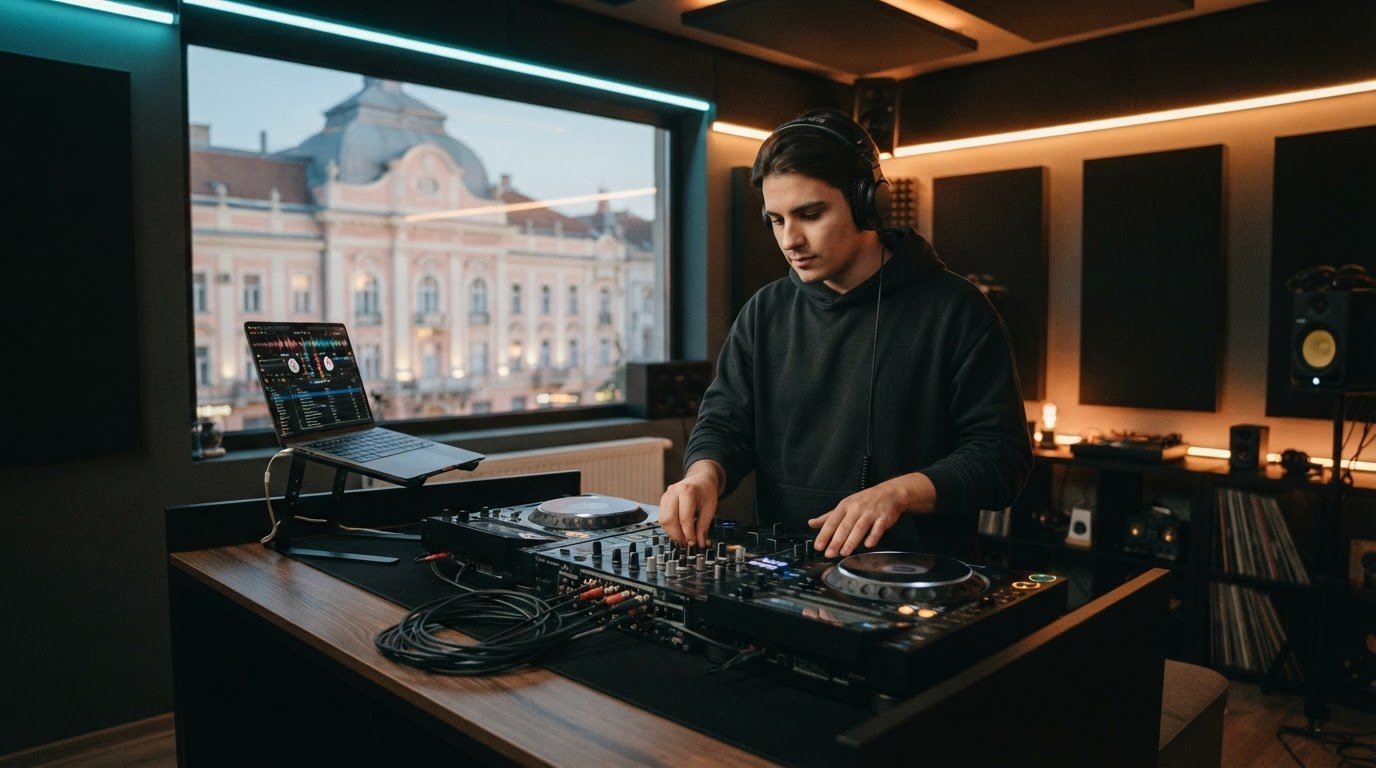

You don’t need to buy DJ gear to start practising. A beginner DJ practice studio gives you access to a ready-to-use setup, so you can focus on cueing tracks, beatmatching and smoothing out transitions. Bring music you know, get hands-on and build confidence through repetition.
It’s easy to think you need your own controller to make real progress. But focused practice matters more than owning equipment from day one. You can train your ear, learn how tracks fit together and identify what needs work by listening back to your mixes.
In this guide, you’ll learn how to prepare a practice playlist, structure a session, work on transitions and record mixes for review. Turn your motivation into a tighter, more confident sound without making a gear purchase your first step.
Key Takeaways
- Build DJ skills before investing in equipment by planning focused practice around cueing, beatmatching, and track selection.
- Record a mix, listen back with a specific goal, and use clear notes to guide your next session.
- Practise transitions by listening for phrase changes and refining your timing, EQ, and track overlap.
- Keep a home practice area simple: prioritize comfortable access to your laptop, headphones, and any gear you already have.
- Use hourly studio access, session packages, or recording options when you want hands-on practice in a dedicated setup.
Equipment costs and studio practice
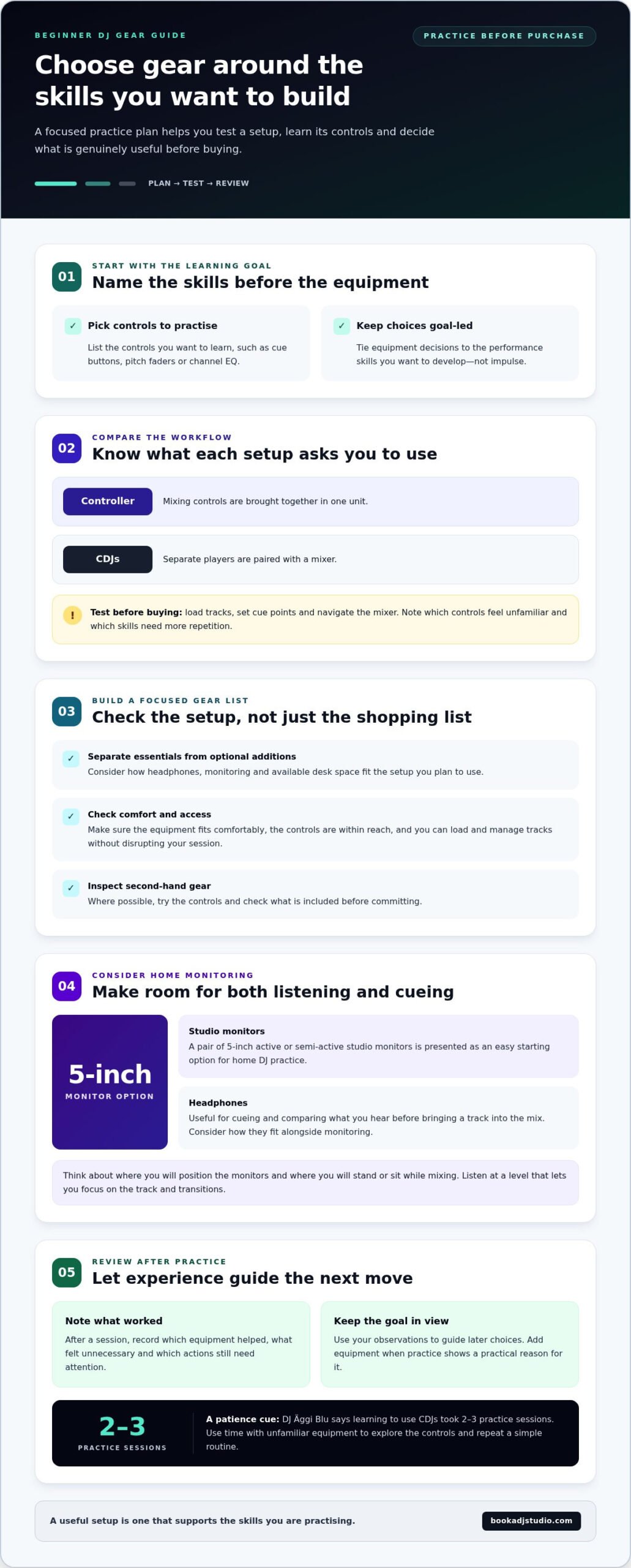
- Decide what you want to learn first. List the controls you want to practise, such as cue buttons, pitch faders or channel EQ. This keeps equipment choices tied to the skills you want to build, not impulse.
- Compare controller and CDJ workflows. A controller brings mixing controls together in one unit, while CDJs pair separate players with a mixer. Choose the layout that matches the performance skills you want to develop.
- Test your workflow before buying. Practise loading tracks, setting cue points and navigating the mixer. Note which controls feel unfamiliar and which skills need more repetition.
- Make a focused gear list. Separate essentials from optional additions. Consider how headphones, monitoring and the available desk space fit the setup you plan to use.
- Let practice guide your next move. After a session, note which equipment helped and what felt unnecessary. That experience can help you choose a setup that supports your mixing goals instead of paying for features you won’t use.
Treat your equipment budget as part of your practice plan, not a test of how serious you are. Choose the arrangement that lets you practise the controls and habits you want to develop, and reserve money for the parts of your setup you’ll actually use. Before buying, list the tasks you want to try, then consider whether the equipment makes them straightforward. If you’re considering second-hand gear, inspect it and try the controls where possible. Check what’s included before you commit. Don’t assume a more elaborate setup is automatically better. A purchase is useful when it gives you a workable place to practise, not simply because it has more features. Use your available space as a guide: check that the equipment fits comfortably, the controls are within reach, and you can load and manage tracks without disrupting your session. Keep optional additions separate from essentials, so buying something new doesn’t replace learning the setup you already have.
For home DJ practice, a pair of 5-inch active or semi-active studio monitors is presented as an easy starting option. Consider how you will position the monitors and where you will stand or sit while mixing, then listen at a level that lets you focus on the track and the transitions. Headphones remain useful for cueing and comparing what you hear before bringing a track into the mix, so decide how they fit alongside your monitoring rather than assuming one replaces the other. Give yourself time to get familiar with the layout you choose. The DJ Äggi Blu says learning to use CDJs took 2-3 practice sessions. That experience is a reminder to approach unfamiliar equipment with patience: use a session to explore the controls, repeat a simple routine, and notice which actions still require attention. After practising, note what felt clear, what slowed you down, and whether any part of the setup was left unused. Let those observations guide later choices instead of buying extra equipment in anticipation of needs you have not yet identified. A modest setup that supports steady, focused practice can be a more useful starting point than a collection of optional tools. When you revisit your gear list, keep the original learning goals in view and choose additions only when your sessions show a practical reason for them. That way, cost and studio practice remain connected to the skills you are building.
Recording mixes and getting feedback
- Choose one recording goal. Before you press record, decide what you want the mix to show. You might focus on smoother handovers, steady phrasing or controlled EQ changes. Keep the goal specific: “make the vocal handover between these two tracks cleaner” gives you something concrete to review. A session at a beginner DJ practice studio may feel different from practising at home, so choose a goal you can work on with the equipment in front of you. Avoid trying to judge track selection, timing, levels and energy all at once.
- Prepare your recording. Find out how the setup captures the master output, then make a short test recording before your full run. Listen through headphones. Check that both tracks are audible, the level stays consistent, and the recording starts and stops correctly. If the mixer has a recording control, learn how it works before the session. A test can catch simple setup problems early and prevent a muted source or unexpected stop from spoiling your full mix.
- Record one uninterrupted take. Choose a short playlist with a clear opening, middle and ending. Record the whole run without stopping after every small mistake. This gives you a realistic picture of how you manage momentum and recover when a transition feels rough. If you make an error, keep mixing and look for the next chance to regain control. Make a note of the track or transition afterwards. A continuous recording reveals pacing and consistency that isolated practice snippets can hide.
- Review the mix in focused passes. First, listen without touching the controls. Note where the energy dips, a vocal clashes or the incoming track becomes noticeable too soon. Then replay the moments around those points and identify a likely cause. For example, a crowded handover may need a different cue point, a slower channel-fader move or less overlap between basslines. Write down the track pair and the adjustment to test. Specific notes turn listening into a repeatable practice plan.
- Ask for useful feedback. Share the recording with a listener and ask one focused question, such as whether the transition into a particular track feels smooth. Give them the track names or mark the moment you want reviewed. Ask what they heard, not only whether they liked the mix. Then compare their observations with your own notes and choose one change for the next take. For a polished capture, audio recording preserves the mix, while 4K video recording can show your performance and control movements. You can explore a recorded DJ practice session when you want to capture both the sound and the performance.
Practicing track transitions
- Choose two tracks with a clear rhythmic connection. Start with songs that have similar energy and a steady kick pattern. This lets you focus on timing before trying more complex combinations. Listen to each track’s intro, breakdown and outro. Notice when the drums enter and where vocals or strong melodies might compete. For example, pairing a drum-led intro with a vocal-heavy track gives you room to hear the incoming beat first. Keep your first pairing simple, then change one track once the transition feels controlled.
- Count phrases before moving the crossfader. In most 4/4 electronic music, phrases commonly consist of 4 bars, or 16 beats. Count “one” through “four” across each bar, then listen for the next phrase to begin. Start the incoming track at a phrase boundary, such as the start of an outro. The kick, bass, or melody can signal that boundary. If the tracks feel misaligned, pause and find the phrase start again. Phrase-aware timing helps the handover feel intentional rather than abrupt.
- Match the beats, then check the phrasing. Use the jog wheel or pitch control to bring the incoming kick in time with the playing track. Listen through headphones while cueing, then compare the beats. If one kick lands ahead, adjust the track slightly; if it trails, make the opposite correction. Beatmatching aligns the pulse, but doesn’t automatically align the musical phrases. Once the beats sit together, check that the next section also arrives at a useful point in the playing track.
- Shape the handover with EQ and volume. Bring in the incoming track gently, then listen for competing basslines. Reduce its low frequencies while both tracks overlap, and restore them as you lower the outgoing track’s bass. Keep your channel-fader movement smooth. Avoid changing several controls at once, so you can hear which adjustment helped. Practise the same transition with different EQ timing. You might swap bass at the phrase change or create a gradual blend through the outgoing track’s outro.
- Repeat the transition with one deliberate change. Run the same track pair again and focus on a single detail, such as cue timing, EQ movement, or how quickly you raise the incoming fader. DJ Äggi Blu says learning to use a controller to mix tracks in and out took 15 minutes. Treat that as a focused starting exercise, not a limit on your practice. A beginner DJ practice studio gives you a chance to repeat the same move on physical controls. After each attempt, identify one moment that sounded clean and one adjustment for the next run.
Work with a consistent setup and a clear goal for each attempt. A beginner DJ needs a collection of 50-100 tracks to practise mixing. Choose tracks you genuinely want to hear repeatedly, and keep possible pairings ready so you can work on the same transition without searching between attempts. You do not need to use the whole collection in one session. Return to a familiar pairing when you want to isolate a technique, then try a different pairing when you are ready to test whether the same approach still feels controlled. Keep notes on what you heard, not just what you changed: record whether the entrance felt early, whether the bass overlap felt crowded, and whether the outgoing track had room to leave.
Before each run, decide what you’re listening for and leave the other controls alone unless the mix calls for an adjustment. After the handover, listen back and identify the moment that felt least natural. Then repeat the pairing with one small correction instead of changing the whole transition. You can also practise without aiming for a polished blend every time: cue the entrance, check the phrase and rehearse the exit separately. As the moves become more familiar, try different tracks to challenge your timing and phrasing. Keep the process deliberate, and let each attempt answer a specific question about the mix. That makes practice easier to review and gives you a clear next step.
How much space do you need for a beginner DJ setup?
- Plan around your equipment, not an assumed room size. A compact controller, laptop, headphones and speakers need less room than separate decks and a mixer. Start by placing your current equipment on a table, then check that you can reach every control comfortably. Leave clear space for your hands to work the jog wheels, pitch faders and channel controls. You should be able to cue a track without knocking the laptop or stretching across the mixer. The equipment layout, rather than a universal measurement, determines the space you need.
- Keep the main controls within easy reach. Put the mixer or controller in front of you, with the laptop screen visible without leaning over the decks. Place your headphones where you can quickly pick them up and put them back while cueing. If you use a mouse or keyboard to manage tracks, leave room beside the controller. For example, a laptop balanced behind a controller can block access to transport controls. Rearrange the devices until you can switch smoothly between browsing, cueing and mixing.
- Position monitoring for clear listening. Speakers need stable surfaces and a clear path to your listening position. Keep them away from places where your hands, laptop screen or other objects obstruct the sound. If your space only allows for headphones, use them to cue and review the mix without adding speakers to the layout. Avoid placing a speaker where its cable crosses your working area. A tidy setup makes it easier to focus on the incoming track, the playing track and the balance between them.
- Plan for cables and storage. Trace each cable from the laptop, controller, headphones and speakers before practising. Keep connections clear of the controls and away from places where a chair or foot can catch them. Store your USB stick and headphones in the same place, so you can find them without clearing the whole desk. If you practise in a shared room, choose a layout you can set up and pack away without moving unrelated items. Practical storage helps protect your workflow as much as the tabletop does.
- Adapt the space to your performance goal. Mixing practice needs room for controls and comfortable listening; recording or livestreaming adds a camera view and space for lighting. Frame your performance so the controller remains visible, and check that the camera doesn’t obstruct your access to the mixer. A small room can still support focused practice when equipment stays organized and the camera angle is planned. If you want to work in a dedicated setup instead, explore a space for DJ practice and livestreaming.
If there’s only space for headphones, use them to cue and review your mix. If you use speakers, place them on stable surfaces with a clear path to your listening position.
Book a DJ Studio: Hourly Studio Access
Book a DJ Studio gives you a practical next step when you’re ready to practise on a fully equipped setup without buying gear. Use Hourly Studio Access to focus on specific skills, such as cueing, beatmatching, or tightening a transition. If you want recurring practice, Session Packages provide another booking option. Add Audio Recording to review your mix, or 4K Video Recording to capture your performance as well.
Arrive with a prepared playlist and a clear practice goal. Build confidence through hands-on repetition, then use your recordings to guide the next session. Visit Book a DJ Studio to explore your next practice session.
Turn Your Practice Into Your Sound
Your next breakthrough can start with a simple decision: make practice part of your creative life, not a purchase you need to make first. At Book a DJ Studio in Timișoara, you can use a festival-style booth with top-tier gear to explore your sound and build confidence behind the decks. Bring your curiosity, listen closely and let each session help shape the DJ you want to become.
Set an intention before you step into the studio. Maybe you want to make a transition feel more natural or find a mix that captures the energy you hear in your head. Keep that intention in mind, then give yourself room to experiment. Your sound grows through the choices you make, the moments you revisit and the instincts you learn to trust.
Ready to make space for your next session? Contact Book a DJ Studio to plan your practice. Bring your drive, follow the groove, and keep building toward a set that feels unmistakably yours.
Frequently Asked Questions
Where can beginners rent DJ practice studios in Romania, and what are the prices?
In Timișoara, beginners can book practice time at Book a DJ Studio through its website’s online booking form. Prices are available on the website or through the booking form, so review the current details there before choosing a session. To arrive ready to mix, bring headphones and music on a USB stick no larger than 32 GB. Scan your tracks in Rekordbox before exporting them.