

A mixing mistake rarely calls for a bigger plugin chain; it calls for a clearer target. To recover from a mixing mistake, pause, check the mix in mono, identify the problem element, then make one focused correction and listen again. Compare the result with a reference track at a similar loudness before adding more processing.
After hours of tweaking, it’s easy to lose perspective. The solution is to work with intention instead of chasing every small imperfection. This guide shows you how to spot phase and frequency problems, use EQ and effects purposefully, and compare your mix with a reference.
Most importantly, set a goal before touching another control. Organize the session, take a break when the next move isn’t clear, and return with fresh ears. Your mix can regain its focus one deliberate decision at a time.
Key Takeaways
- Switch to mono to catch phase issues, then make a targeted correction and listen to the full mix again.
- Use EQ to address frequency clashes instead of reaching for broad boosts that can create new problems.
- Give every effect a clear job, and bypass processing that isn’t helping the sound.
- Compare your mix with a reference track at a similar loudness to reset your ears and check the balance.
- Set a sonic goal, organize your session, and step away when you’re no longer sure what to change.
1. Checking a mix in mono
When a mix feels wrong, switch your DAW’s master output to mono before changing plugins. This quick check combines the left and right channels, revealing phase problems and sounds that disappear or lose impact. Listen to the full track, not just a soloed guitar, and note the exact moment the balance changes.
To hear how mixing mistakes can creep in, watch EDM Tips explain common problems with gain staging, harshness, stereo clashes, and references:
Start with elements that share a role or source. If two guitar recordings sound thin together in mono, check their timing and phase relationship. Slightly misaligned waveforms can cancel each other out. Try aligning one clip or flipping its polarity with the mixer’s phase-invert control, then compare the result in mono and stereo.
Keep perspective with a reference track. Choose a finished track with a similar style and arrangement, then compare its tonal balance and dynamics against your mix. Match playback loudness as closely as you can; the louder version can seem better even when its balance isn’t. A short section with vocals, bass, and drums gives you more useful context than an 8-bar loop.
Check the mix on headphones, in a car, and on your usual speakers. Each playback setup can reveal different issues: a vocal may sound clear on headphones but get buried in the car. Keep the volume sensible and listen for changes in bass weight, vocal presence, and stereo focus. Don’t expect every system to sound identical.
A mastering assistant can provide another mix check, but it isn’t the final verdict. Run it on a mix without clipping, review its tonal or level suggestions, then bypass it to hear the original again. If the processing makes the track louder but less balanced, return to the mix and find the cause instead of accepting the output automatically.
How do you correct clipping and distortion in a mix? Find the track or bus causing the overload, then lower its level or gain before the signal reaches the clipping stage. Keep the master below 0 dBFS during mixing; a limiter may hide peaks, but it won’t repair distortion already printed into a recording.
How can you fix an unbalanced vocal or instrument level? Adjust its channel fader while listening to the full arrangement, then use volume automation if phrases or notes still jump out. A compressor can control peaks, but it shouldn’t replace a clear level balance.
How can you recover a mix after using too much compression or limiting? Bypass the compressor or limiter and compare the dynamics, then reduce the gain reduction or remove the processor. If excessive processing was printed into the sound, return to an earlier take or project version.
How do you restore a previous version of a project in popular DAWs? In Ableton Live, Logic Pro, or FL Studio, use undo history for recent changes, or reopen an earlier saved copy or recovery file. Save the restored version under a new name before continuing to preserve both sessions.
2. Cutting problematic frequencies with EQ
Use EQ to remove a specific clash, not to reshape every sound by habit. Start with the full mix, identify what feels muddy or harsh, then bypass the EQ to confirm your change helps. A high-pass filter below 20 Hz is generally recommended to remove inaudible rumble, while preserving useful bass energy.
For harshness, listen for piercing sounds in the 2-5 kHz region. A narrow cut can soften an aggressive vocal or synth, but sweep carefully and stop when the unpleasant edge eases. If several parts fight in the same range, reduce one source rather than carving every track. Producers should also avoid excessive boosts at the high end, which can make large speakers sound harsh.
Control the low end by comparing bass notes with the kick. If both feel heavy at the same moment, decide which part should lead, then cut the competing part’s overlapping frequencies. Excess energy below 50 Hz can undermine a mix, especially on larger speakers. If broad tonal correction needs more than three or four EQ bands, or more than 3-4 dB per band, reassess the channel balance. Filters with Q greater than 1 can also signal that per-channel settings need another look.
Reverb can blur bass-heavy sounds when its return carries too much low end. High-pass the effect return; for typical pop, rock, and electronica, it can often sit well above 100 Hz. You can also cut low frequencies below 200 Hz from reverb on bass-heavy sources. Try low-frequency shelving or peaking cuts in the couple of octaves above the high-pass cutoff to keep the effect from masking the dry signal.
Can a damaged or overprocessed mix be repaired, and what are the limits? A multitrack project lets you adjust individual sources, reduce excessive EQ, and restore dynamics by easing compression. A flattened stereo file offers less control: EQ can rebalance frequencies, but it can’t fully separate overlapping instruments or undo distortion printed into the audio.
Use a compressor only when it solves a clear level or dynamics problem. If a harsh vocal persists after careful EQ, check its source level and arrangement before adding more cuts. A focused listening session in a professional DJ studio can give you a fresh playback environment for checking those decisions.
Check that bass frequencies aren’t clashing with the kick. Boosting a frequency in one sound may call for a cut in another. Avoid adding too much bass or treble.
3. Using effects only when they serve a purpose
Before adding a plugin, write down the specific problem you want it to solve. A short punch list might say, “keep the vocal steady,” “give the snare more space,” or “make the synth feel wider.” If a track already works without processing, leave it alone. Each extra compressor, delay, or reverb changes the sound and can distract you from elements that already fit.
Test effects in context. Play the full arrangement, add one processor, then bypass it at the same listening level. If the mix loses clarity or dynamics with the effect active, adjust its settings or remove it. A loudness maximizer can skew your balance during mixing, making the unprocessed version seem weaker when you bypass it. Don’t judge an effect by loudness alone.
- Compression: Use it to control a particular performance or add drum weight. Too much can flatten transients and reduce dynamics.
- Reverb: Add it when a sound needs depth or space, not simply because the track feels unfinished.
- Delay: Use a specific repeat to support a vocal phrase or rhythmic element, then check that it doesn’t crowd the next sound.
Send tracks can give several parts a shared acoustic space. Create one reverb return, set the effect to 100% wet, and send selected tracks to it. This keeps the dry signals separate while the return blends them together. For example, a vocal and a percussion hit can share a room-like tail without placing identical reverb plugins on both channels. Adjust each send level to control how much space that source receives.
Use effects selectively. A wide chorus on one synth may create contrast, while applying the same widening to every element can blur the mix’s focus. Listen on headphones, then check your speakers; stereo effects can feel exaggerated on headphones. Trying 10 effects of the same type can also pull your attention away from learning what one well-chosen processor does. Compare the bypassed and processed versions before keeping a chain.
When should you undo changes versus use automation or new processing? Undo a recent change if it clearly made the mix worse or you can’t identify what improved. Use automation for a time-specific issue, such as a vocal phrase that dips in the chorus. Add processing only when a consistent problem remains throughout the track.
Keep a simple note beside each plugin, such as “delay supports final word” or “compressor controls vocal peaks.” If you can’t name the effect’s purpose, bypass it and listen again. This quick test makes plugin choices deliberate, rather than a search for a preset that might fit.
4. Comparing mixes with commercial references
A reference track gives your ears a reliable comparison point when a mix starts drifting. Choose one or more commercially proven tracks with a similar style, arrangement, and energy. Compare like with like: a sparse DJ intro won’t tell you much about the balance of a dense chorus. Use a full section with several instruments active, not only an 8-bar loop that hasn’t developed yet.
Set up the comparison in your session. Import the reference onto a separate track, route it directly to your main output, and keep it outside the mix processing. Lower its playback volume until it sounds close in loudness to your mix. Louder audio often seems fuller, so comparing tracks at different levels can lead to the wrong adjustments.
- Frequency balance: Compare kick and bass weight, vocal presence, and high-frequency detail. Ask whether one range dominates your mix.
- Dynamics: Listen for how strongly drums and other transients hit, and whether the arrangement still breathes.
- Instrument separation: Notice whether the lead, bass, and supporting parts each have a clear place.
Switch between the reference and your mix at the same musical moment. Listen for one difference at a time, such as a bassline overpowering the kick or a lead that feels too distant. Write down what you hear before changing a fader or processor. This turns “something feels off” into a specific move you can test.
Keep the reference in its original form. Don’t apply your mix-bus EQ or limiting to it, since those processors can change the balance you’re using as a guide. If you need to adjust playback volume, use a clean level control after the reference track’s source, then return to your mix without changing its processing.
A commercial reference is a compass, not a template. Your arrangement, sound choices, and creative direction may call for a different tonal balance. Use the comparison to spot unintended problems, then decide whether the difference is a mistake or part of your sound. For example, a deliberately bright synth lead can sit forward as long as it doesn’t mask the vocal or make the full mix harsh.
After each adjustment, replay the same passage and compare again. If the change improves the balance but weakens another element, back it off. Keep notes such as “reduce low-end overlap” or “bring lead forward slightly” so each listening pass has a clear purpose. That’s how references help you correct a mix while keeping your own identity intact.
5. Setting a mixing goal and organizing the session
Before opening another plugin, write down one clear goal for the mix. “Keep the lead vocal intelligible over the kick and bass” gives you direction; “make everything sound better” doesn’t. Choose a sonic plan, such as a tight centre with selected stereo elements, and use it to assess each decision. If a tweak doesn’t support that plan, leave it out.
Next, organize the DAW session so you can see what you’re changing. Group related channels, name tracks by source, and colour-code drums, vocals, and instruments. Remove unused muted arrangement elements when they’re no longer needed; this can free CPU or memory for processing active parts. Save a new version before major edits so you can return to an earlier mix without losing your current work.
Don’t expect a preset to understand your song. A vocal preset can’t account for the singer, arrangement, microphone, or other sounds competing in your mix. Use presets as starting points, then adjust them while listening to the full track. Note important changes, such as “reduce vocal level in second verse,” so each decision has a reason.
Build breaks into the session before ear fatigue takes over. A practical rule of thumb is a 20-minute break every 2 hours; a short pause every 30 minutes can also help reset your listening. Step away if you’re no longer sure why you’re adjusting a fader. Returning with fresh ears can reveal that the mix already meets its goal.
How can you avoid common mixing mistakes in future sessions? Set the mix goal first, save versions before major changes, and make one decision at a time while listening to the whole arrangement. Use a repeatable session layout, take breaks, and stop tweaking when new changes no longer move you toward the goal.
Use a short session checklist before exporting: confirm the arrangement, check that intended channels are active, listen to the full track, and save the final mix separately from the project. If the goal is still unclear, pause and write down the specific problem before reopening the DAW. For a focused place to work through your next mix, book a studio session.
Decide what you want the mix to accomplish before making the first change. Use that intention to judge whether an adjustment belongs, so each move serves a purpose instead of reacting to the last one. A sonic or aesthetic plan helps guide choices throughout the process. Changing direction repeatedly makes it harder to judge whether the result is finished. Stick with the plan to decide consistently when further work is no longer helping.
Doubt is a cue to stop, not to keep moving controls until something sounds different. The author describes mixing for three hours without a break, which led to unproductive adjustments. The example shows why uncertainty about the next tweak matters: step away instead of making changes without a clear purpose. Return when you know the intended outcome, and let that purpose, not the number of adjustments, guide your next decision.
Book a DJ Studio: Hourly Studio Access
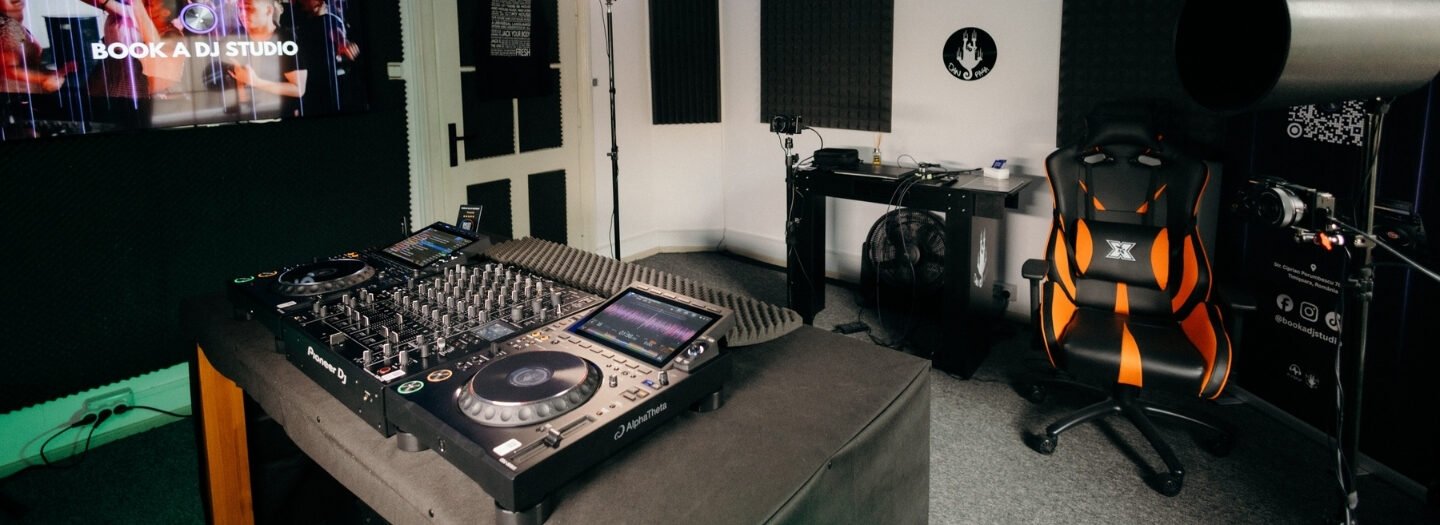
Book a DJ Studio gives you a focused space to practise and review your DJ sets. Use Hourly Studio Access when you want dedicated time to refine transitions, test your setup, or capture a promotional performance. Session Packages suit repeat visits, while Audio Recording and 4K Video Recording can document your session for sharing or review.
Start with a clear goal, such as tightening a transition or recording a set from start to finish. A dedicated session can help you focus on your performance without turning your mixing project into another round of endless tweaks.
Ready to plan your next session? Visit Book a DJ Studio.
Take Your Next Session Further
Knowing how to recover from a mixing mistake is part of building your creative workflow. Put that focus into a performance or recording, with a clear idea of what you want to improve. Choose one element to develop, capture a fresh take, and use what you hear to guide your next move.
Book a DJ Studio in Timișoara offers Hourly Studio Access and Session Packages for focused studio time, plus Audio Recording to capture your session. Bring a set you’re refining or a performance you’re ready to document, and turn your next session into forward momentum.
Contact Book a DJ Studio to plan your next step. Keep creating, trust your ears, and let every session move your sound forward.
Frequently Asked Questions
What are the first steps to take after making a mixing mistake?
Pause playback and preserve the version that still works before making another change. Then describe the problem in plain terms, such as “the chorus loses impact” or “the vocal sounds distant.” A practical way to recover from a mixing mistake is to compare the affected passage with an earlier version, identify the change that caused the problem, and test a single reversal. Keep the better version and continue from there.
How do you fix an audio mix that is too muddy or boomy?
Before changing the master EQ, find out whether the problem comes from one instrument or the arrangement. Listen to the bass and kick during the notes or hits that feel swollen. Temporarily mute one low-frequency part, then bring it back to identify the source. If several layers contribute, simplify the arrangement or shorten sustained notes. A small fader adjustment can restore definition without thinning the entire mix.
How do you reduce harshness or excessive brightness in a mix?
First identify whether the harshness comes from a vocal, cymbal, synth, or the arrangement as a whole. Briefly lower the suspected track; if the edge softens, address that source rather than darkening the entire mix. For sharp vocal consonants, try a de-esser. For a consistently brittle instrument, gently reduce its high-frequency level. Recheck at the same playback volume, since quieter playback can make harshness seem less obvious.