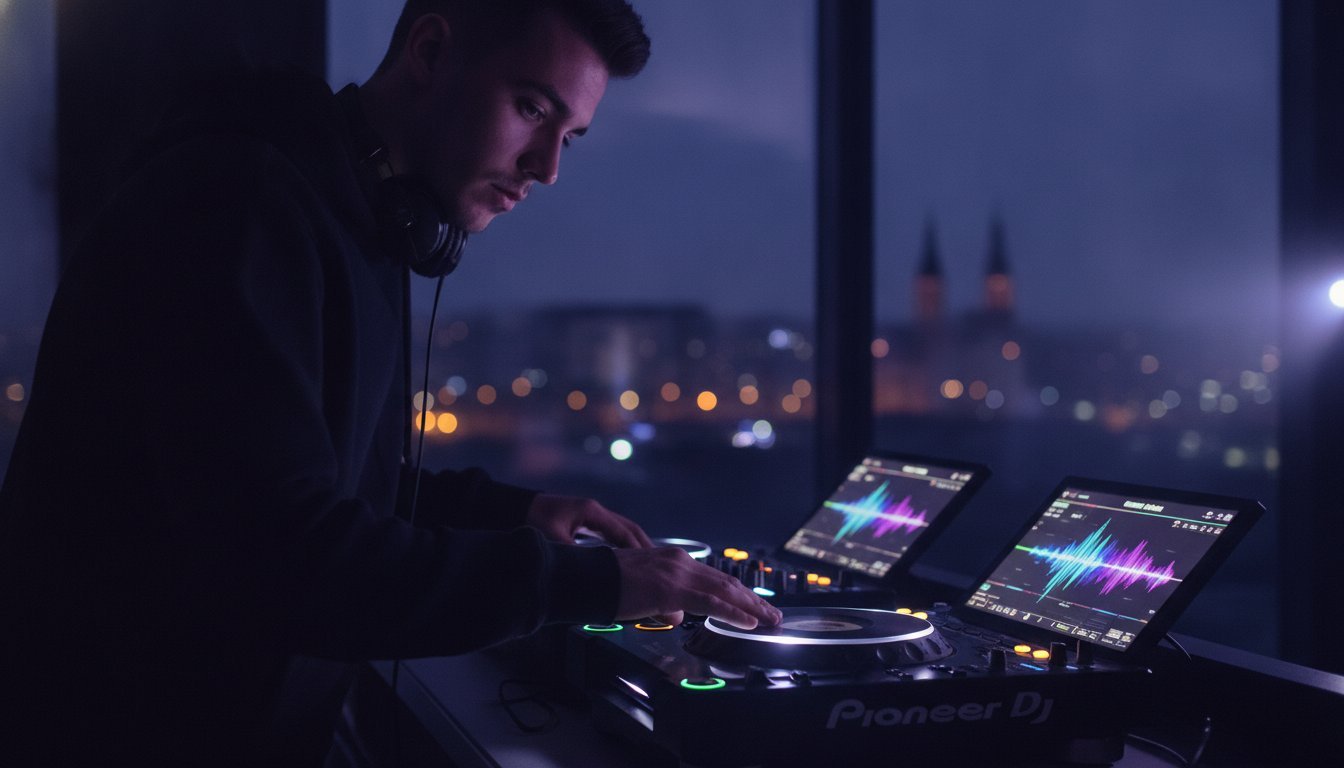
Walking into a dark booth and seeing a pair of CDJ-3000s shouldn’t feel like a test you didn’t study for. You’ve spent hours perfecting transitions at home, but the moment you face that massive 9-inch touch screen, the gear gap anxiety kicks in. It’s the difference between playing a set and performing an experience. One of the biggest benefits of practicing on CDJ-3000s is the sheer confidence that comes from knowing exactly how the hardware responds to your touch. Stop guessing and start dominating.
We know the feeling of a USB drive that won’t load or the panic of navigating a complex interface while the crowd waits. You want to look like a pro because you are one. In this guide, you’ll discover how mastering Pioneer DJ’s flagship hardware transforms your performance confidence and prepares you for any professional booth on the planet. We’ll dive into the MPU-driven speed of the latest Rekordbox 7.2.16 integration, explore the power of Touch Preview, and show you how to record 4K-ready sets that get you booked. 🎧
Key Takeaways
- Master the 9-inch high-resolution touch screen to navigate your library with lightning speed and total precision. ⚡
- Learn how to utilize ‘Touch Preview’ to audition tracks instantly without ever loading them to a live deck. 🎧
- Unlock the core benefits of practicing on CDJ-3000s to build the muscle memory needed to crush ‘Booth Terror’ at your next gig. 🚀
- Optimize your Rekordbox workflow by configuring ‘My Settings’ so your custom preferences load automatically in any professional booth. 💾
- Discover how hourly studio access provides a high-end performance environment without the massive upfront cost of flagship hardware. 💎
The Undisputed Club King: Why Practicing on CDJ-3000s is Non-Negotiable
The booth is your stage. You don’t want to step onto it feeling like a stranger. In 2026, the Pioneer DJ CDJ-3000 has cemented its place as the undisputed global club standard. While the CDJ-2000NXS2 served the industry well for a decade, the shift is complete. From the underground basements of Timișoara to the massive stages of international festivals, the 3000 series is the gear you’ll face. Professional agencies and promoters now expect “plug and play” fluency. They want artists who can walk in, plug in a USB, and deliver a flawless performance without asking where the browse knob is. 🎧
To better understand the technical power behind this unit, watch this helpful video:
One of the primary benefits of practicing on CDJ-3000s is the psychological shift from “playing tracks” to “performing a set.” You gain the technical literacy needed to handle any professional environment. When you’re comfortable with the flagship, you aren’t just a DJ; you’re a technician of your craft. This familiarity allows you to focus on the crowd instead of the buttons. 🚀
What Makes the CDJ-3000 the Industry Benchmark?
It’s all about the MPU. This Micro-Processing Unit is the first of its kind in a CDJ, providing rock-solid stability and faster track loading than any previous model. When the hardware is this powerful, you stop worrying about technical glitches and start taking creative risks. Looking at the Pioneer CDJ-3000 history, you can see how this leap in processing power redefined what a media player can do. The Pro DJ Link ecosystem ties the entire booth together, allowing you to share one USB across four decks and sync lighting or visuals seamlessly. 🔗
The Cost of Unfamiliarity: Why Controllers Aren’t Enough
Don’t fall into the “screen-staring” trap. If you’re used to looking at a laptop, the transition to standalone displays can be jarring. CDJ-3000s demand that you look at the gear, not a computer. The tactile response is also fundamentally different. Mechanical jog wheels feel nothing like the capacitive platters on most home controllers. You need to feel the tension, the weight, and the precise click of the cue buttons. Your first time touching these units shouldn’t be during a high-stakes, paid 1 AM set. Practice in a controlled environment so you can dominate the main room. 💎
Cutting-Edge Features: How the CDJ-3000 Redefines Professional Mixing
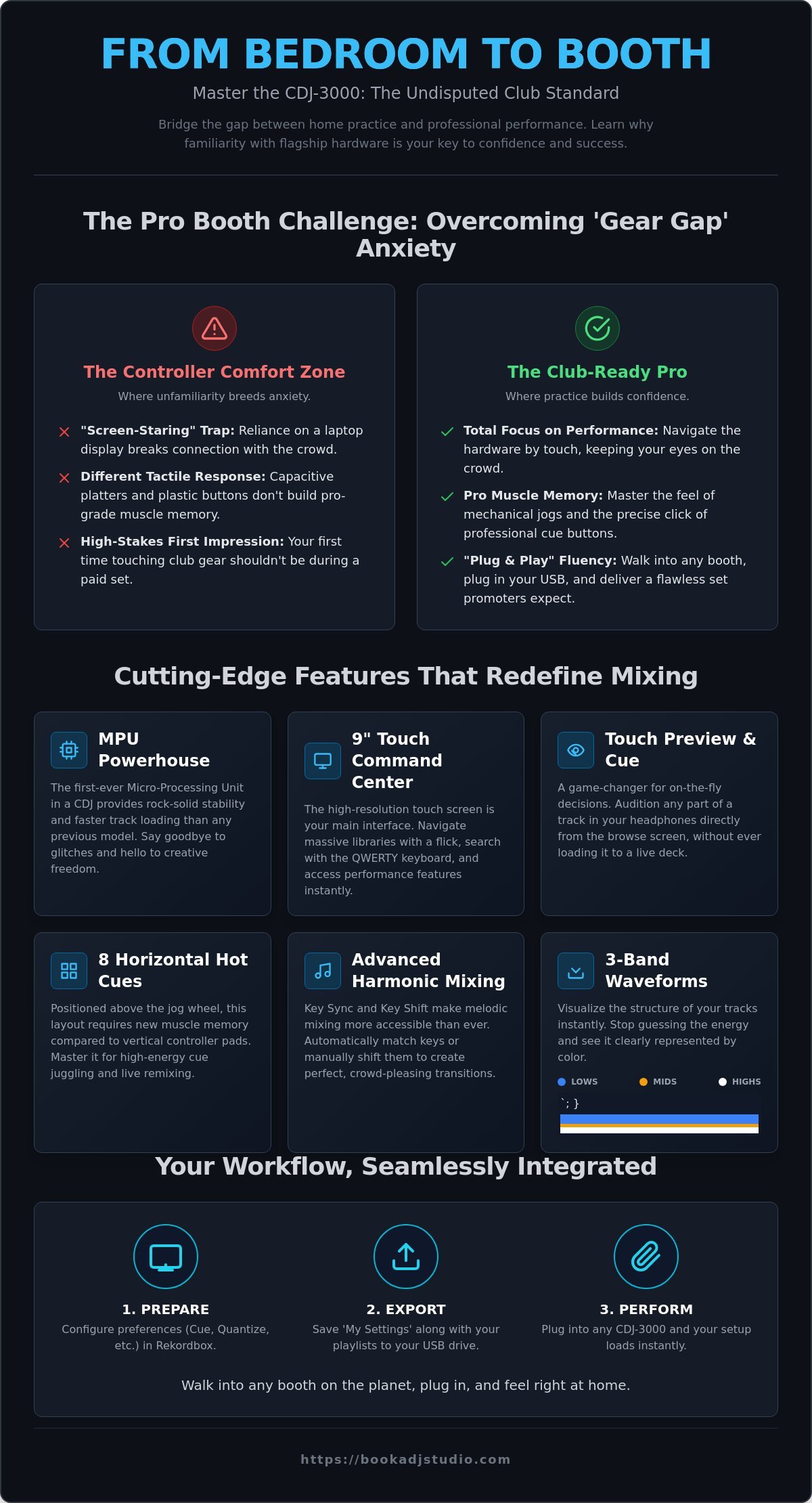
The 9-inch high-resolution touch screen isn’t just a display; it’s your command center. You can navigate massive libraries with a flick of a finger. One of the most tactical benefits of practicing on CDJ-3000s is mastering the ‘Touch Preview’ feature. This allows you to listen to any part of a track in your headphones directly from the browse screen without loading it to a deck. It’s a game-changer for quick decision-making under pressure. ⚡
Performance creativity reaches new heights with ‘Touch Cue.’ This allows you to silently monitor a different part of the track currently playing on the master. You can check the energy of the second drop while the first verse is still rocking the crowd. Pair this with the eight physical hot cue buttons positioned horizontally above the jog wheel. Unlike the vertical pads on most controllers, this layout requires specific muscle memory to ensure you don’t miss a beat during high-energy routines. 🚀
Harmonic mixing has never been more accessible. Key Sync and Key Shift allow you to automatically match the key of the incoming track to the master; you can even manually shift it to create perfect melodic transitions. To truly master these advanced performance tools, you need dedicated time behind the decks. You can book a session to get hands-on experience with these flagship tools before your next big show.
Revolutionary Browsing and Waveform Display
Stop guessing the energy of your tracks. The CDJ-3000 introduces 3-Band Waveforms, using distinct colors to represent frequency bands: blue for lows, amber for mids, and white for highs. This allows you to visualize the structure of a track at a glance. Stacked Waveforms take it a step further by showing the master and preview tracks together on one screen. This makes visual beatmatching precise and effortless, freeing up your ears to focus on EQ and effects. 💎
The Mechanical Feel of the Flagship Jog Wheel
The jog wheel on a CDJ-3000 is a mechanical masterpiece. It’s designed with an internal mechanism that significantly reduces latency, making every nudge and scratch feel instantaneous. Use the ‘Jog Adjust’ knob to find your perfect tension. Whether you prefer a heavy, traditional feel or a light, fast response for quick cuts, the 3000 adapts to your style. Practicing on these wheels develops a level of beatmatching precision that software-based controllers simply can’t replicate. It’s about the physical connection between your hand and the music. 🎧
The Psychological Advantage: Building Booth Confidence Through Familiarity
“Booth terror” is a visceral reaction. Your heart races; your palms sweat. This usually happens because you’re fighting the equipment instead of playing the music. One of the most significant benefits of practicing on CDJ-3000s is the massive drop in cortisol levels once you achieve gear fluency. When you aren’t hunting for the “Play” button or wondering how to set a loop, you can actually enjoy the set. Confidence isn’t just a feeling; it’s a technical state of being. 🎧
The transition to a professional booth requires a “Standalone Mentality.” You have to break the psychological dependency on your laptop screen. Relying on a computer creates a barrier between you and the crowd. By mastering the 3000 series, you move away from the “screen-staring” trap and start engaging with the hardware as a true instrument. This shift in focus is what separates a bedroom hobbyist from a stage-ready professional. 🚀
Muscle Memory vs. Menu Diving
Your hands need to move faster than your thoughts. In a high-pressure booth, you don’t have time to look down and read labels. You need to train your fingers to find the ‘Browse’ and ‘Back’ buttons instinctively. This is especially true for the ‘Loop’ and ‘CUE’ sections. Practicing on the 3000s allows you to develop the tactile memory required for performance-heavy sets. Whether it’s an emergency 4-beat loop to save a transition or a rapid beat-jump maneuver, your muscle memory is your ultimate safety net. ⚡
Focusing on the Music, Not the Buttons
The goal is to stop asking “How do I do this?” and start asking “What should I play next?” When you achieve hardware mastery, your stage presence explodes. You can finally look up from the decks. You can read the room, catch the eyes of the front row, and feed off the energy of the dancefloor. Mastering the Professional DJ Equipment in Timișoara ensures that when the lights go down, you’re ready to lead the room, not just manage a playlist. 💎
Rekordbox Mastery: Syncing Your Workflow with Flagship Hardware
Software preparation is the bridge between your music library and a world-class performance. One of the technical benefits of practicing on CDJ-3000s is the ability to see your music exactly how the hardware intended. Don’t just export tracks; optimize them. Start by analyzing your library in Rekordbox 7.2.16 using the 3-Band Waveform setting. This ensures your frequencies are color-coded correctly on that massive display. ⚡
Follow these five steps for a bulletproof workflow:
- Step 1: Analyze tracks for 3-Band Waveform display to visualize lows, mids, and highs.
- Step 2: Configure ‘My Settings’ in Rekordbox to load your preferred jog tension and waveform size automatically.
- Step 3: Map both Memory Cues and Hot Cues. Use Memory Cues for structural markers and Hot Cues for performance triggers.
- Step 4: Use high-speed USB 3.0 drives. The CDJ-3000’s MPU processes data at incredible speeds, but a slow drive will bottleneck your browsing.
- Step 5: Test your export. A controlled studio environment is the only place to catch a corrupted database before it ruins a gig.
Your preparation defines your success. Once your library is ready, book your studio time to verify your export on actual flagship gear. 🚀
Optimizing Export Settings for the 3000
Enable ‘Device Library Plus’ in your export settings. This feature is specifically designed for newer hardware like the CDJ-3000, allowing for lightning-fast library searches. Use custom color codes for genres. When you’re scrolling through 2,000 tracks, seeing a sea of neon green for “Techno” and deep purple for “Deep House” saves precious seconds. Don’t forget ‘Active Loops.’ Setting an active loop at the end of a track is your safety net, ensuring the music never stops if you get distracted by the crowd. 🎧
Cloud Sync and Pro DJ Link Features
The CDJ-3000 is a connected powerhouse. With Rekordbox CloudDirectPlay, you can access your cloud-based library directly from the decks. This level of integration requires a solid understanding of how the Pro DJ Link ecosystem handles data. Practicing in Link Export mode allows you to use your laptop as a massive hard drive, giving you access to every track you own without multiple exports. Check our Master Your Mix Guide for more workflow tips to elevate your technical game. 💎
Your Professional Launchpad: Experience the CDJ-3000 in Timișoara
Owning a club-standard setup is a massive financial hurdle. In the Romanian market, a pair of CDJ-3000s and a professional mixer can cost upwards of 45,000 lei. That’s a massive investment that stops many talented artists before they even begin. Don’t let equipment costs hold your career hostage. One of the most practical benefits of practicing on CDJ-3000s via hourly studio access is that you gain elite-level skills without the crushing overhead. You get the gear, the acoustics, and the vibe of a real club booth for a fraction of the purchase price. 💎
Book a DJ Studio in Timișoara is designed to be the bridge to your professional career. We provide a fully equipped professional DJ booth that mirrors exactly what you’ll find at major festivals and high-end clubs. This isn’t just about pushing buttons; it’s about acclimatizing to a high-pressure environment. When you walk into your next gig, you won’t feel like a guest. You’ll feel like you’re exactly where you belong because you’ve already put in the work on the industry’s flagship hardware. 🚀
Practice, Record, and Promote
Turn your practice hours into marketing gold. Our 4K video recording and high-quality audio recording add-ons allow you to capture every move. In 2026, a high-resolution promo set is your digital resume. Show booking agents and promoters that you can handle the flagship hardware with absolute precision. High-quality visuals build your brand and prove your technical competence. Seeing is believing. Browse our Studio Gallery to see the setup that will host your next viral set. 📸
Join the Timișoara DJ Community
Mastery requires a consistent routine. Use our multi-session packages to make professional practice a habit. You’ll be part of a community of artists who are all striving for the same breakthrough. Plus, you get on-site technical support. If your USB isn’t loading or you want to master a specific touch feature, we’re here to help you troubleshoot in real-time. This isn’t just a room; it’s an incubator for your talent. Stop dreaming about the booth and start owning it. 🎧
Ready to dominate the booth? Book your CDJ-3000 session now!
Step Into the Booth with Absolute Authority
The booth is calling, and it’s time you answered with total confidence. Mastering the flagship hardware isn’t just a technical requirement; it’s your ticket to the global stage. By bridging the gap between your home setup and the club standard, you eliminate the technical friction that kills creativity. You’ve learned how the benefits of practicing on CDJ-3000s extend far beyond just knowing where the buttons are. It’s about developing the muscle memory and standalone mentality needed to focus entirely on the dancefloor.
Timișoara’s premier DJ practice space is ready for your next breakthrough. With an industry-standard CDJ-3000 and DJM setup paired with 4K video recording, you have everything you need to build a professional brand that promoters can’t ignore. Don’t leave your performance to chance. Practice on the gear the world’s best artists use every single night. 🎧
Secure Your Professional Session on CDJ-3000s Today!
Stop practicing for the bedroom. Start preparing for the main room. Your breakthrough is waiting, so go get it.
Frequently Asked Questions
Is it worth practicing on CDJ-3000s if I only have a controller at home?
Yes, it’s absolutely essential if you plan to play in professional clubs. Controllers use capacitive touch platters, while the 3000s feature mechanical jog wheels with adjustable tension. Moving from a laptop screen to a standalone 9-inch display requires a different mental approach. One of the core benefits of practicing on CDJ-3000s is breaking that laptop dependency so you can engage with the crowd instead of a computer.
What are the main differences between the CDJ-2000NXS2 and the CDJ-3000?
The CDJ-3000 is powered by a high-performance MPU, making it significantly faster and more stable than the NXS2. You get a larger 9-inch touch screen, eight physical hot cue buttons instead of four, and advanced features like Touch Preview. These hardware upgrades allow for a much more fluid performance. The 3000 also introduces 3-Band waveforms, which help you visualize frequencies far better than older models.
Do I need a special USB drive for the CDJ-3000?
You don’t need a “special” drive, but you should use a high-speed USB 3.0 or 3.1 drive formatted to FAT32 or HFS+. The CDJ-3000’s internal processor can load tracks almost instantly, but a cheap, slow USB will create a bottleneck during browsing. Invest in a reliable brand with high read speeds. This ensures your waveforms and album art load the moment you select a track on the screen.
Can I use my laptop with the CDJ-3000s at Book a DJ Studio?
Yes, you can connect your laptop and use the CDJ-3000s in HID mode with Rekordbox, Serato, or Traktor. However, we highly recommend practicing in standalone mode using a USB drive. This prepares you for the standard club environment where laptops are often discouraged or physically difficult to set up. Learning to navigate the 9-inch screen without your computer is a key step in your professional growth.
How many hours of practice do I need to feel comfortable on club gear?
Most DJs find that 5 to 10 hours of focused practice on flagship gear is enough to build solid muscle memory. Your first hour usually goes toward learning the interface and touch features. By the fifth hour, you’ll stop thinking about the buttons and start focusing on your transitions. Consistency is the secret. Short, regular sessions are much more effective than one marathon practice once a month.
Does practicing on flagship gear really help me get more gigs?
Yes, because technical confidence translates to better stage presence. When you aren’t nervous about the gear, you can interact with the crowd and the promoters. Additionally, one of the biggest benefits of practicing on CDJ-3000s at a professional studio is the ability to record high-quality promo sets. These 4K recordings prove to booking agents that you can handle industry-standard equipment without hesitation.
What should I do if my USB isn’t recognized by the CDJ-3000?
First, ensure your drive is formatted to FAT32 or HFS+ and that you exported your tracks through Rekordbox. If the player still doesn’t see your files, try using a different USB port or a different cable if you’re using a Link setup. At Book a DJ Studio, our team is always on hand to help you troubleshoot these technical issues. Always carry a backup USB just in case of hardware failure.
Can I record my practice session at the Timișoara studio?
Absolutely. We offer high-quality audio recording and 4K video recording add-ons for all practice sessions. You can walk away with a professional-sounding set and high-resolution footage for your social media channels. This is the best way to leverage your practice time into content that grows your brand. Just select the recording options when you book your hourly studio access.