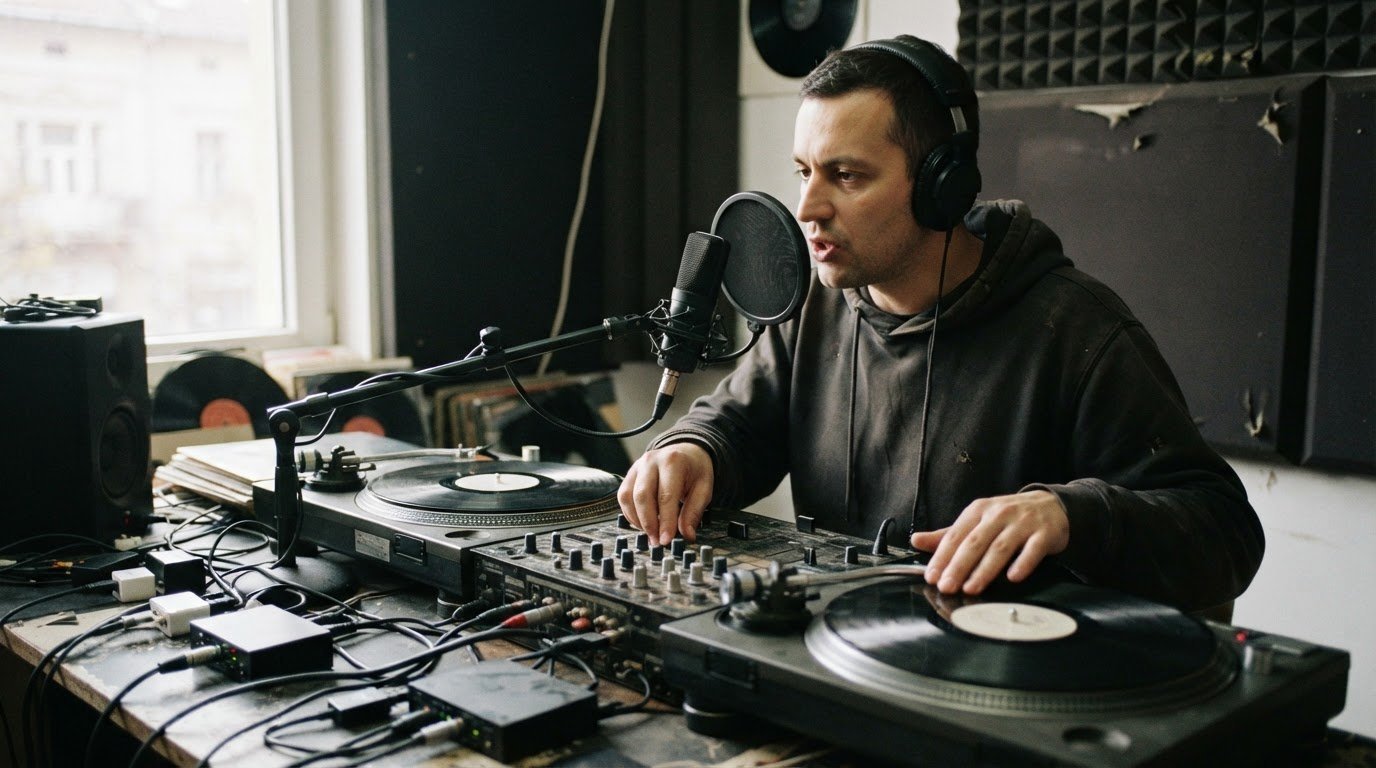

The loudest drop isn’t always the one that hits hardest. To learn how to add drops or jingles to your mix, match the voice and delivery to your genre, then place the tag where it won’t cover a vocal or key musical moment. A DJ drop is usually 1 to 4 seconds long, so keep it sharp and let the mix do the heavy lifting.
A signature tag can make a set feel unmistakably yours. The key is to make it sound like part of the performance, not an interruption. Choose a clean voice tag for flexibility or a produced jingle for a bigger intro, and keep your DJ name clear above the effects.
Start with a short script, create your drop with an AI voice or your own recording, then preview it against the track. Fine-tune its tone, timing, and energy to suit your genre, whether you’re building a smooth house set or a high-impact club mix. 🎧
Key Takeaways
- Keep your DJ tag brief and recognizable so it adds identity without interrupting the mix.
- Shape a drop with an AI voice or your own recording, then listen for clear pronunciation and clean sound.
- Place the tag where the track leaves space, and match its vocal tone and effects to your set’s genre and energy.
- Use studio recording options to capture a polished audio set or pair your performance with 4K video.
DJ drop definition and purpose
To sync a drop, align its first syllable with the beat or a phrase boundary, then preview it against the track. Choose a voice pitch and effect that suit the song, and adjust the timing until the tag feels locked in.
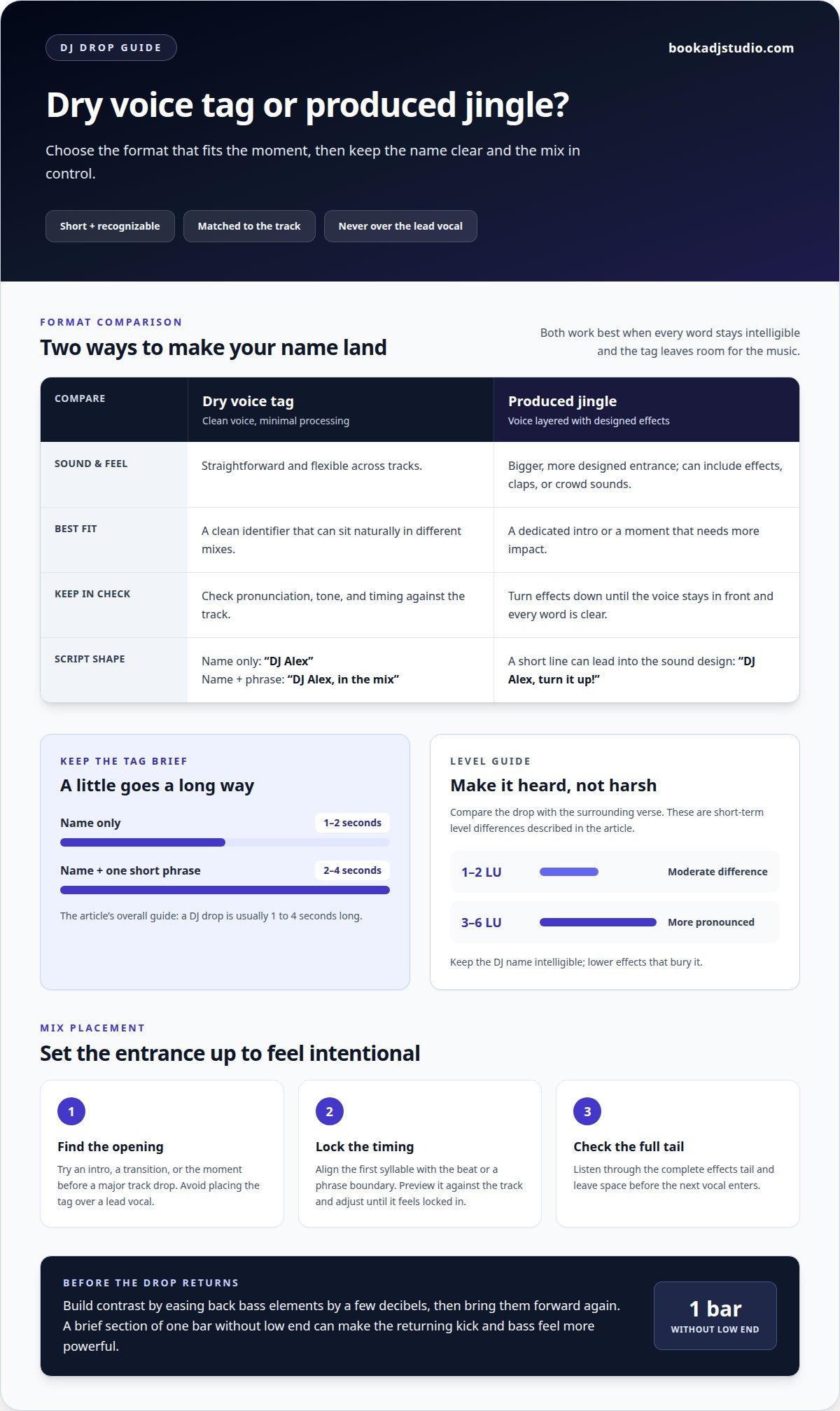
- Give the tag one clear job. A DJ drop is a short voice recording that identifies the DJ, mix, or show. Use the DJ name to build branding and identity without masking the music. Keep a name-only tag around 1 to 2 seconds, or use 2 to 4 seconds for a name plus one short phrase.
- Write a script that fits your style. For a clean intro, try “DJ Alex, in the mix.” For a hype call, use “DJ Alex, turn it up!” A smoother radio-style line could be “You’re locked in with DJ Alex.” Keep the wording tight, then read it aloud to catch clumsy syllables.
- Build contrast before the drop. Create space during the build-up by easing back bass elements by a few decibels, then bring them forward at the drop. A brief section of one bar without low end can make the returning kick and bass feel more powerful.
- Make the entrance hit without clipping. Compare the drop’s level with the surrounding verse and listen to their combined output. A drop 1 to 2 LU louder creates a moderate short-term difference; 3 to 6 LU sounds more pronounced. Keep the DJ name intelligible, and lower effects that bury it.
- Place the tag where the arrangement has room. Use intros, transitions, or the moment before a major track drop, not over a lead vocal. Check the full effects tail and leave space before the next vocal enters. The strongest result comes from matching timing, tone, and energy to the track.
Can I make DJ drops without recording my own voice?
Yes. Build a voiceover with a generated voice, licensed sample, or jingle, then shape its delivery around your mix. Choose a clean tag or designed effects, and keep the message easy to hear.
Choose Intros, Countdowns, and Effects
- Pick a sound that fits the moment. Use a short intro to announce your DJ name, a countdown to build tension, or a year jingle to mark a themed set. For example, “Three, two, one, DJ Alex!” can lead into a track entrance. Keep the script personal with your name, catchphrase, or set concept.
- Choose dry or produced audio. A dry drop keeps the voice clean and flexible across tracks. A produced version layers effects, claps, or crowd sounds for a bigger intro. If you add effects, lower them until every word stays clear. Keep the voiceover in front, not buried under a riser or impact sound.
- Check ownership and the full tail. Use sounds you created, licensed, or have permission to use. Preview the complete effects tail, then leave space before the next vocal. Avoid repeating the same jingle so often that it distracts from the set.
Add Drops in DJ Software
- Import and prepare the audio. In rekordbox, Serato, or VirtualDJ, add the drop file to your library or a sampler slot, then assign a pad or control for playback. Software layouts vary, so use the available sample or performance controls rather than assuming every menu works alike. Preview the tag with the track before performing.
- Choose live triggering or post-production. Trigger a prepared sample live from a pad when you want performance control. For a recorded mix, place the drop on a separate audio track in your editing software, then align it with a transition or phrase boundary.
- Protect the mix level. Lower the sample gain if the combined output clips, and listen for abrupt starts or cut-off tails. Use a short fade where needed, then check the next vocal entrance. To judge timing in a captured set, an audio recording session gives you a finished performance to review.
With either approach, test the drop at performance volume. Keep the name clear, the transition smooth, and the effects controlled.
AI-generated and custom-recorded drops
Yes. Create a drop with an AI voice, your own recording, or a royalty-free sample licensed for your intended use. Preview the finished audio against your transitions before adding it to a set.
- Write a script that sounds like you. Start with your DJ name, then add one short phrase or catchphrase. Read it aloud and remove words that slow the delivery. For example, “DJ Nova, after dark” gives an AI voice or recording artist a clear, compact line to perform.
- Generate or record several versions. With AI, check pronunciation of your DJ name and listen for unnatural pacing. For a custom recording, capture 5 to 10 takes of each line, then choose the clearest performance. Record in a quiet space, keep your delivery consistent, and avoid pushing the input into distortion.
- Build a custom jingle around the voice. Add sound effects only where they support the message, such as a riser before the name or a short impact after it. Keep a dry voice version for flexible placement, plus a produced version for a dedicated intro. Compare both against the track so the sounds don’t compete with vocals or key musical moments.
- Preview the full mix, not just the sample. Place the jingle over an intro and a transition, then listen through its complete effects tail. Leave room before the next vocal enters, and lower effects if they mask the name. Export a WAV at your music library’s sample rate, usually 44.1 kHz, and check the combined output for clipping.
- Choose samples with clear usage terms. Look for royalty-free audio libraries or sample packs with a license that covers your intended mix, recording, or stream. Read the terms for restrictions on editing, attribution, and distribution. Custom audio turnaround can range from 24 hours to a few business days, depending on the service and production brief.
Matching drops to genre and performance vibe
Choose a voice and phrase that complement your tracks rather than overpowering them. A gritty trap tag and a smooth house identifier create different expectations for listeners.
- Start with the energy of your set. For a club-focused mix, choose a bold delivery that can ride over powerful drums. For radio or lo-fi sets, use a smoother voice and restrained effects. Match the drop’s intensity to the audience’s mood, not just the genre label.
- Shape the sound around the musical texture. Dark, gritty processing can suit trap, while clean, melodic tones often complement house. Listen to the tracks around your planned placement. If the arrangement is already dense, use a voice-focused drop; save layered sound effects for a dedicated intro.
- Keep the phrase true to your identity. Write one short line that sounds natural in your own delivery. A minimal tag can work across different styles, while a playful phrase may fit a more character-driven set. Say the line aloud, then remove any word that clashes with the rhythm or feels unlike you.
- Generate versions and compare them in context. Try different vocal tones, pacing, and effect levels, then place each version over the same transition. Listen for whether the DJ name stays clear and whether the drop changes the set’s energy in the right direction. A/B testing reveals which treatment fits your musical choices.
- Test the drop with real listeners. Play it through headphones, speakers, and a live stream, then ask fellow DJs or fans what they remember. If listeners recall the effects but miss your name, simplify the mix. Capture a complete genre-matched set with audio recording in a DJ studio, then review how the tag sits across the performance.
Book a DJ Studio: Hourly Studio Access
Book a DJ Studio in Timișoara gives you a dedicated space to rehearse your set and test how your drops sit in the mix. Book hourly access for a focused session or choose a session package to return and refine your performance.
Ready to capture the result? Add Audio Recording to review your transitions and tag levels, or 4K Video Recording to document your performance on camera. A recorded set makes it easier to hear whether each drop fits the energy and stays clear throughout the mix.
Plan your next session or learn more at Book a DJ Studio.
Give Your Sound a Signature
Your drop can help listeners recognize your creative identity. Treat it as a musical signature, not a shortcut to energy. Choose a sound that feels natural alongside your selections, then let your mixing and track choices carry the performance.
Learning how to add drops or jingles to your mix is just the first step. Next, shape a set that feels unmistakably yours, from its opening mood to its final moment. Record a focused session, listen back with fresh ears, and consider whether the drop supports the character you want to project. Refine the performance around that identity, not around effects alone.
When you’re ready to turn practice into a polished set, plan your next studio session. Bring your sound, trust your instincts, and build a mix that speaks in your voice.
Frequently Asked Questions
How do I make a drop hit harder?
When learning how to add drops or jingles to your mix, focus on the transition’s impact rather than adding more effects. Clear competing sounds before the entrance, then check that the kick and main hook stay defined without clipping.
How does contrast make a drop more powerful?
Contrast makes a change in energy easier to feel. Try simplifying a busy build-up, then let a distinctive rhythm return. A clear shift in texture can make the drop stand out without raising its level.
What Are DJ Drops, Exactly?
A DJ drop is a brief audio tag that identifies a DJ, mix, or show. It gives listeners a recognizable signature, while a producer tag identifies the creator of a beat or track.
What are DJ Jingles?
A DJ jingle combines a vocal phrase with musical or sound elements to introduce a DJ, show, or event. A sung name over a short instrumental can give a livestream opening a broadcast-style feel.
Why does focus matter when producing a drop?
A focused tag makes its message easier to remember. Give the voice and backing sounds distinct roles, then remove any layer that distracts from the name or phrase. Clear choices make the tag easier to recognize.
Why does my drop sound weak or smaller than the build-up?
A build-up can stay dense right through the transition, leaving little contrast. Try reducing its competing layers, then listen for a clear entrance from the drop’s main rhythmic element. Also check that the combined audio isn’t clipping.