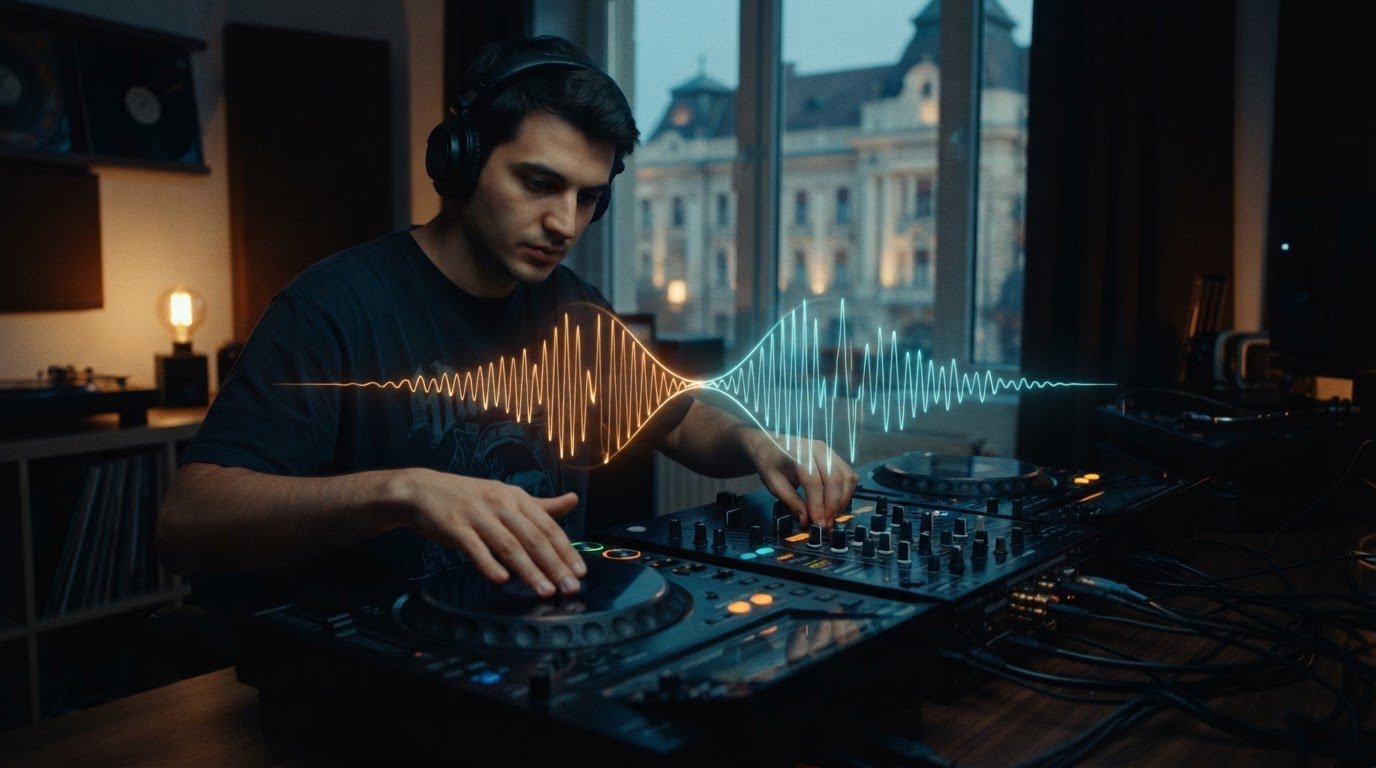

To learn how to make your DJ transitions seamless, match the incoming track’s BPM, align its kick drums with the outgoing track’s downbeat, and bring it in at the start of a fresh musical phrase. Dance, hip-hop, pop, and electronic tracks commonly use phrases of 8, 16, or 32 bars, giving you natural windows to mix. Choose tracks in the same or a compatible neighboring key to reduce harmonic clashes.
Even a tight beatmatch can feel awkward when the tracks compete for space or the handoff lands at the wrong moment. The fix isn’t just greater precision. It takes focused practice, careful listening, and trying different ways to connect the music.
Use these steps to align BPMs, sync beats by ear or with DJ software, manage EQ, and choose tracks that work together. Then experiment with loops, fades, and creative transitions until the mix sounds like your own.
Key Takeaways
- Use jog wheels or pitch-bend controls to make small timing corrections, and manage competing basslines with the mixer’s low EQ.
- Adjust tempo gradually and listen for drift so the blend stays locked instead of relying on the BPM display alone.
- Give vocals and prominent synths room by shaping the mid and high EQ, then explore loops and fades for expressive handoffs.
- Record practice sets to spot rough transitions, then refine your timing and try different approaches until the mix feels natural.
Matching the beats of two tracks
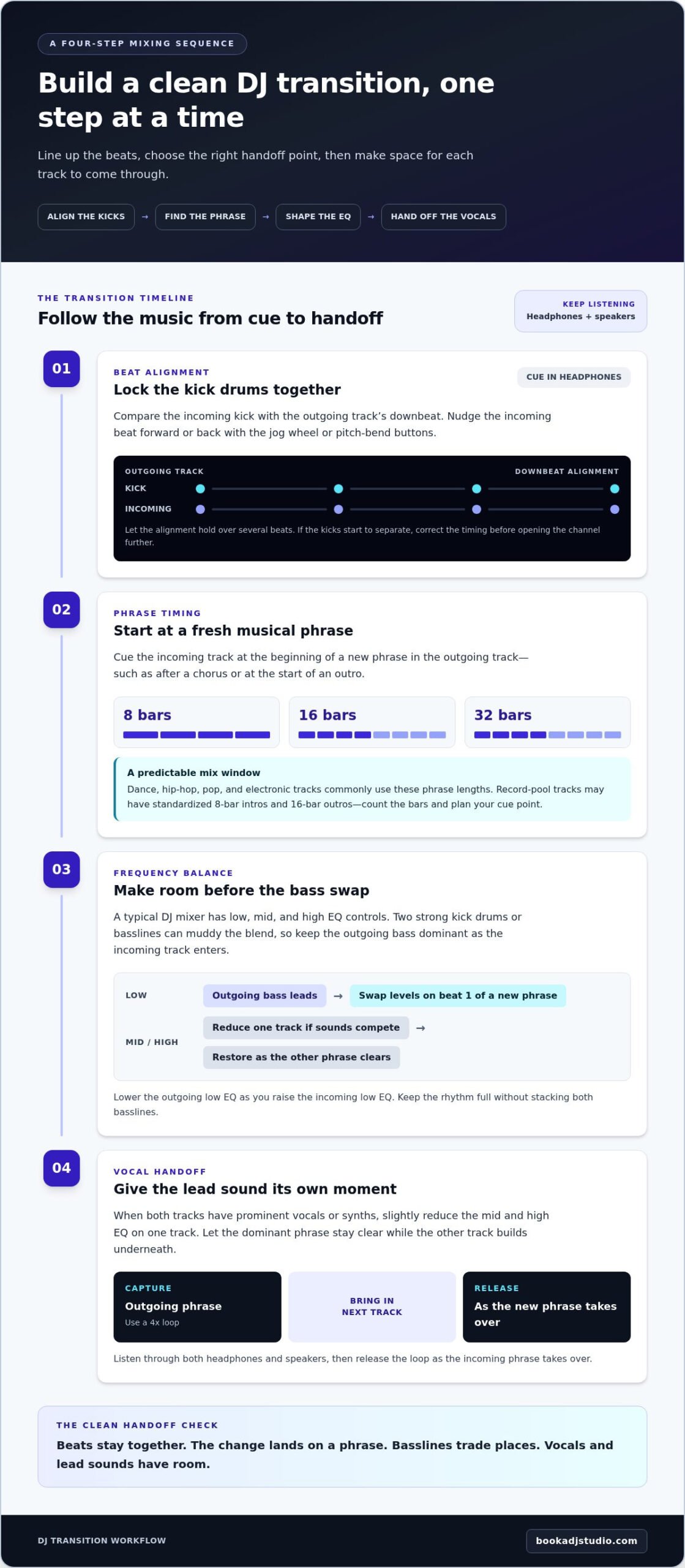
- Start with the kick drums. Cue the incoming track in your headphones and compare its kick with the outgoing track’s downbeat. Use the jog wheel or pitch-bend buttons for small timing corrections, nudging the incoming beat forward or back until both kicks land together. Listen for the alignment to hold over several beats. If the kicks start to separate, correct the timing before opening the channel further.
- Choose a clean phrase for the handoff. Dance, hip-hop, pop, and electronic tracks commonly use phrases of 8, 16, or 32 bars. Start the incoming track at the beginning of a fresh phrase in the outgoing track, such as after a chorus or at the start of an outro. Record-pool tracks with standardized 8-bar intros and 16-bar outros offer predictable mix windows, so count the bars and plan your cue point.
- Shape the EQ before both tracks compete. A typical DJ mixer has a 3-band equaliser, with low, mid, and high controls. Focus first on the low frequencies: two strong kick drums or basslines can muddy the blend. Keep the outgoing bass dominant as the incoming track enters, then swap levels on beat 1 of a new phrase. Lower the outgoing low EQ as you raise the incoming low EQ, keeping the rhythm full without stacking both basslines.
- Give vocals and lead sounds room. If both tracks carry prominent vocals or synths, slightly reduce the mid and high EQ on one track. Let the dominant phrase stay clear while the other track builds underneath. For a vocal handoff, capture the outgoing phrase in a 4x loop before bringing in the next track. Listen through the headphones and speakers, then release the loop as the incoming phrase takes over.
Beatmatching and BPM alignment
When transitioning between songs with different tempos or genres—such as taking over the room at a high-end event following a luxury opening act performer—use a transition edit or create a deliberate break before the new track enters. Match tempos where practical, then make the change feel intentional through phrasing and a clear shift in energy. This gives you a way to make your DJ transitions seamless, even when the styles contrast.
- Compare the BPM readings in your DJ software, then decide which track should set the pace. Adjust the incoming track with your controller’s tempo control. Make a small change, listen, and adjust again. The display is a reference, but the music tells you whether the groove still feels natural.
- Listen for tempo drift once the tracks are playing together. Beatmatching means keeping their beats in sync by adjusting tempo through DJ software or a controller. If the incoming track gradually pulls ahead, correct its speed and listen again. Use headphones to focus on the rhythm without the main mix distracting you.
- Choose a tempo change that suits the musical moment. A gradual adjustment can bring compatible tracks closer in pace, while a clear break can make a sharper shift feel deliberate. Keep the outgoing track steady as the new sound enters, then move the mix forward at a phrase change instead of stretching an uneasy blend.
- For a bigger jump, use a transition edit to bridge the gap. An edit can smooth a tempo change from 70 to 128 BPM. Let the edit create the changeover, then bring in the new track cleanly on its beat. Use this option when forcing both tracks to share a tempo would drain the energy.
- Practise with and without visual aids. Before CDJs, DJs beatmatched vinyl by ear and hand, without a BPM counter, digital screens, or waveforms. Try matching by listening first, then check the display. This exercise helps you make your DJ transitions seamless while keeping your ears, not just the screen, in control.
Harmonic mixing and compatible keys
- Check the musical key shown in your track library before choosing the next song. Treat it as a starting point, not an automatic green light. Choose an incoming track in the same key or a compatible neighboring key to reduce clashes between sustained notes, chords, and melodic hooks. Keep the set’s energy and mood in mind, too.
- Listen to the sections that will overlap. Cue the incoming track in your headphones and focus on its bass notes, chords, and main melody. A vocal-led outgoing track may clash with a bright synth lead, even when the keys seem compatible. Try a short, controlled blend before committing to a longer overlap.
- Bring in the incoming track with its melodic elements restrained. Use the mixer’s EQ to lower the mids or highs if a vocal or synth competes with the outgoing hook. Gradually restore those frequencies as the first melody clears. This makes the handoff easier to hear and gives each track its own moment.
- Compare the tracks in context, not just by their key labels. Play the planned transition from its cue point and listen for notes that feel tense or distracting. If the melodies clash, shorten the overlap, choose a different incoming track, or wait for a less melodic section. Let your ears make the final call.
- Build a small practice crate around one outgoing track. Test several incoming songs in the same or compatible neighboring keys, then note which pairings preserve the mood. A steady bassline under a softer vocal, for example, may work better than two prominent hooks playing together. Save the strongest combinations as reliable options for your set.
Key labels are only one part of the decision. Consider whether the tracks’ sounds are compatible, too. A strong kick drum may not pair well with a soft house track, even if the keys look compatible. Compare the weight and character of the sounds during a brief blend, and listen for whether one track overwhelms the other. If the contrast distracts from the transition, choose a better-matched sound or keep the overlap brief. Make the call by listening rather than relying on key information alone.
Practising and experimenting with transitions
Develop your own transition style by testing one technique at a time. Record each practice mix, then listen for timing issues, clashes, and awkward effects.
-
Use Crossfader and Volume Fader Techniques
Use the crossfader for a quick handoff between tracks, especially when their sounds leave little room to overlap. For a gradual blend, keep the crossfader centred and raise the incoming channel volume as you lower the outgoing channel. Listen for sudden drops in level or both tracks becoming too loud. Practise the handoff both ways, then choose the method that suits the tracks and energy.
-
Add Loops, Hot Cues, and Effects Smoothly
Set a hot cue at a clean entry point, then use it to launch the incoming track on a musical phrase. Loop a short section of the outgoing track while the new track builds, and release the loop when the handoff feels natural. Add timed delay or pitch-shifted reverb to echo out a track before a different genre or tempo enters. Avoid layering effects over busy vocals.
-
Avoid Common Beginner Transition Mistakes
Listen for beat drift, competing vocals, and basslines that make the mix feel crowded. Don’t move several controls at once: change one element, then listen to the result. Avoid extending a blend when the tracks clash, and don’t trigger an effect without knowing how it will end. Record the transition and replay it, noting exactly where the timing or clarity slips.
- Experiment with a new idea during each practice session. Try linking tracks through a shared lyrical theme or similar sound, then compare that handoff with a looped build or a clean fade. Keep the version that supports the music. Use dedicated DJ practice time to record and review your next mix.
Keep testing new approaches during practice. A well-timed loop of the outgoing track, for example, can build anticipation as the incoming track enters. Over time, settle on techniques that suit your style.
Book a DJ Studio: Hourly Studio Access
Book a DJ Studio gives you a dedicated space to practise transitions through Hourly Studio Access. Use a session to work through cue points, test different blends, and repeat tricky handoffs on a professional DJ setup. Session Packages suit a regular practice routine, while Audio Recording lets you listen back and spot timing or balance issues in your mix. Add 4K Video Recording when you want to review your performance visually, too.
Turn to studio practice when you need focused time to refine a set, capture a mix, or experiment without interruption. Build your next transition with intention, then review the results and keep shaping your sound. Visit Book a DJ Studio to explore your next session.
Make Your Next Mix a Creative Leap
Your next breakthrough may come from trusting your ears and trying a transition that feels unmistakably yours. Treat each practice set as a chance to test a new musical connection, then listen back with fresh ears. Notice which handoffs carry the mood forward and which ones need reworking. That instinct develops as you make choices, hear their impact, and shape your own signature behind the decks.
Learning how to make your DJ transitions seamless isn’t about making every blend sound identical. It’s about making deliberate choices that serve the music and your set. Keep experimenting, stay curious, and let each mix sharpen your creative voice.
Ready to put your next set into motion? Contact Book a DJ Studio and take your next step behind the decks. Your sound is yours to shape.
Frequently Asked Questions
What makes a DJ transition sound seamless?
A seamless transition preserves the set’s groove and energy without distracting jumps. Listen for sudden volume changes or competing vocals, then shorten the overlap if either pulls focus.
How do DJs match BPM and beatgrid between tracks?
Compare BPM readings, adjust the tempo, and listen for drift. Check that each beatgrid marker aligns with the audible beat, and correct misplaced markers before relying on sync.
How to use phrasing and count bars when mixing songs?
Count beats in groups of four and listen for musical landmarks, such as a breakdown or vocal entrance. Use these cues to anticipate section changes and time your next track.
How to beatmatch two tracks by ear and with sync?
Use headphones to compare the incoming track’s kick with the playing track. Adjust tempo and timing by ear or use sync, then listen for drift and correct any beatgrid mismatch.
How to use EQ and filters for smooth DJ transitions?
Make gradual EQ or filter changes, listening after each move. For example, reduce the outgoing track’s highs as the incoming percussion takes focus. Avoid abrupt sweeps that distract from the groove.
How to choose tracks with compatible keys for harmonic mixing?
Try tracks in the same or a compatible neighboring key, then audition their overlapping melodies. If the combination sounds tense, shorten the blend or choose a less melodic passage.