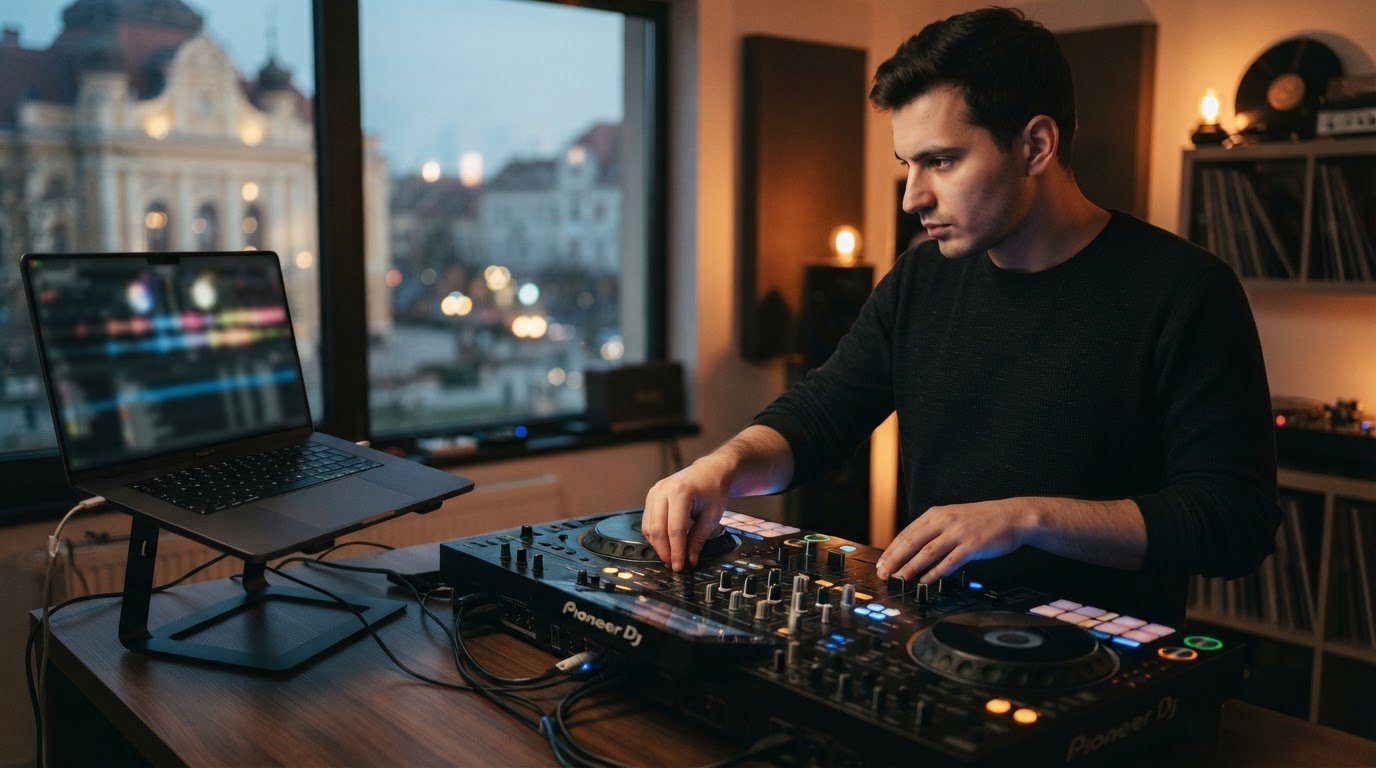

Your next DJ breakthrough may come from practising fewer tracks and making sharper decisions with them. Rekordbox Performance mode practice can help you build confident transitions, but it works best when you focus on more than cues and effects. A well-prepared library is useful. The real goal is learning to steer a set when the energy shifts.
Should you prepare tracks or practise mixing first? Preparation makes your library easier to use; focused practice builds timing, phrasing, EQ control, and the confidence to recover when a transition doesn’t land as planned. You don’t need a complicated routine to improve. You need a repeatable session with a clear goal and a way to review what happened.
This guide explains how to structure a purposeful session, choose which skills to work on first, and practise under realistic pressure without turning every mix into a full performance. You’ll also learn where laptop practice has limits and how a session at a professional DJ studio in Timișoara can help you rehearse on dedicated equipment. Optional recording can help you review your progress afterward.
Key Takeaways
- Make rekordbox performance mode practice more focused by choosing one skill before you start mixing.
- Use a simple setup routine to move from prepared tracks into hands-on practice with fewer distractions.
- Build cleaner transitions through drills that progress from timing and listening to complete track changes.
- Use laptop practice to plan your set, then practise physical controls with compatible DJ equipment.
- Bring a clear goal and a transition to refine when you practise in a dedicated studio.
What Is rekordbox Performance Mode, and What Can You Practise?
Performance mode is rekordbox’s workflow for actively mixing and controlling tracks, rather than organising your music library. Treat it as a practice space: load tracks, listen closely, and work on how one track hands the energy to the next. Rekordbox can work with compatible DJ equipment, while the available controls depend on your hardware and software setup.
Rekordbox performance mode practice is about making decisions, not just pressing buttons. You’re training your timing, phrasing, transition choices, and ability to bring in the next track with confidence. Rekordbox sits within the Pioneer DJ ecosystem; Pioneer DJ and rekordbox have developed alongside the brand’s DJ technology and performance tools.
Performance mode versus preparing a rekordbox library
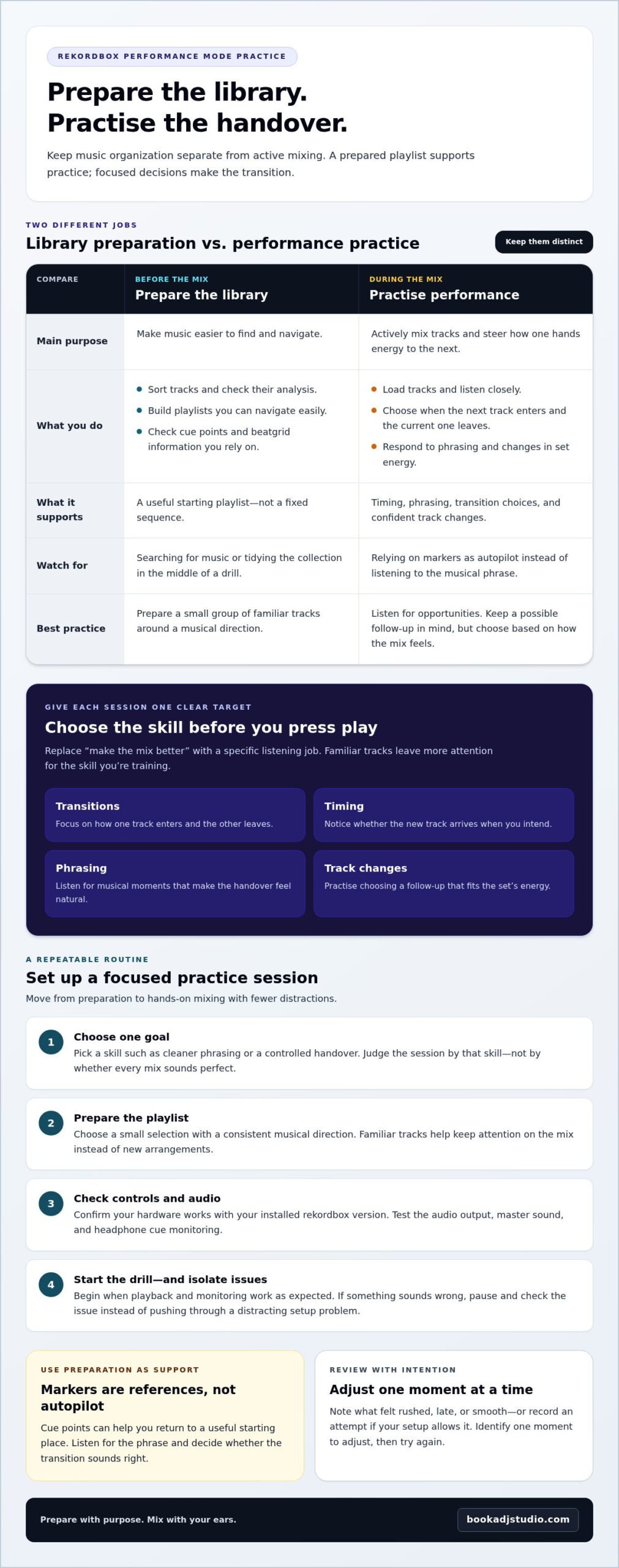
Library preparation is the behind-the-scenes work: sorting tracks, checking their analysis, and building playlists you can navigate easily. Performance mode is where you put that preparation to use by mixing. Keep those tasks separate. If you stop mid-session to search for music or tidy your collection, you lose focus on the transition you set out to practise.
A prepared playlist helps you concentrate without dictating every move. Choose tracks with several possible energy or phrasing connections, then listen for opportunities instead of relying on a fixed sequence. Think of the playlist as a starting point, not a script. For example, you might plan two possible follow-up tracks and choose between them based on how the current mix feels.
Choose one skill before you press play
Set one goal for each session. “Make the mix better” is difficult to assess. “Bring in the next track without losing the groove” gives your ears a specific job. Start with a small group of familiar tracks so that searching for music and learning new arrangements don’t compete with the skill you’re practising.
- Transitions: Focus on how one track enters and the other leaves.
- Timing: Notice whether the new track arrives when you intend.
- Phrasing: Listen for musical moments that make the handover feel natural.
- Track changes: Practise choosing a follow-up that fits the set’s energy.
Before repeating the mix, establish a simple baseline. Note what felt rushed, late, or smooth, or record an attempt if you have a recording option in your setup. Keep your review specific: identify one moment to adjust, then try again. This turns practice into a focused experiment and gives you a clear starting point for the next session.
Set Up rekordbox for a Focused Performance Mode Practice Session
A smooth session starts before the first track plays. Set a clear target, prepare your music and controls, and reduce interruptions that could break your concentration. This quick routine makes rekordbox performance mode practice easier to repeat, whether you’re mixing on a laptop or using compatible DJ equipment.
- Choose one goal. Decide what you’re training, such as cleaner phrasing or a controlled handover. Keep the goal in mind so you can judge the session by that skill, not by whether every mix sounds perfect.
- Prepare the playlist. Load a small selection that supports your goal and has a consistent musical direction. Familiar tracks let you focus on the mix instead of learning new arrangements.
- Check your controls and audio. Confirm that your hardware works with your installed rekordbox version. Check the audio output, master sound, and headphone cue monitoring before you begin.
- Start the drill. Once playback and monitoring work as expected, begin the exercise. If something sounds wrong, pause and isolate the issue instead of pushing through a distracting setup problem.
Prepare tracks and a practice playlist
Build a playlist around one skill and a musical direction rather than loading a large part of your collection. For a phrasing exercise, choose tracks with clear sections you can hear and anticipate. Review the order, but leave room to choose a different track if the energy calls for it. Check cue points and beatgrid information you rely on, and correct anything that could throw off your timing. Save unfamiliar tracks for another session until the core drill feels manageable.
Preparation should support your ears, not replace them. A cue point can help you return to a useful starting place, but it can’t decide whether a transition sounds right. Listen for the musical phrase and use your markers as references, not autopilot.
Check the controller and audio workflow
Controller compatibility and setup can vary with the hardware and rekordbox version. Use the current instructions for your equipment when you need to confirm connection or control details. Avoid relying on instructions for a different model: similar-looking controls may behave differently, and menu names can change between software versions.
Before the drill, play a track and confirm that the sound reaches the intended output. Cue the incoming track in your headphones and check that you can hear it without sending it to the master mix. This quick test can catch routing or monitoring issues before they interrupt your timing. If the audio behaves unexpectedly, stop and check the selected output device, connections, and equipment instructions one at a time.
Ready to try your preparation in a performance-oriented space? A focused session at the DJ studio in Timișoara lets you practise on professional DJ equipment, rather than rehearsing only in software.
Three rekordbox Practice Drills for Cleaner Transitions
Build your mixing instincts in stages. First learn to hear where a handoff belongs, then practise controlling it, and finally work on staying composed when the timing slips. Use the same pair of familiar tracks for each drill so you can hear what changes between attempts.
Focused repetition makes practice easier to assess: change one thing, then listen for its effect. After each attempt, name one adjustment, such as starting the incoming track earlier or letting the outgoing phrase finish. This gives your rekordbox performance mode practice a clear feedback loop instead of turning it into a string of unexamined mixes.
Drill one: Find the phrase and time the handoff
Load two familiar tracks and listen to their structure before mixing. Find a point in the outgoing track where the next track could enter without crowding a vocal, hook, or major change. Bring in the incoming track and focus only on timing and phrasing. Leave other techniques aside for now.
Repeat the handoff from the same starting point. Listen for an obvious gap, an abrupt change, or two prominent parts competing for attention. If the transition feels rushed, try a later entry. If the energy drops, test an earlier one. Compare what you hear rather than relying only on the visual waveforms.
Drill two: Shape a controlled transition
Keep the same tracks and transition point. This time, focus on how you manage the handover with the mixer and deck controls available in your setup. Make one deliberate adjustment at a time, such as easing the incoming track into the mix or lowering the outgoing track as the new groove takes over. Avoid changing several controls at once, or you won’t know which move improved the blend.
Repeat until the transition feels intentional rather than hurried. If you have a recording option, capture a short attempt and listen for sudden level changes or a moment when the tracks clash. Without a recording, pause after the mix and note the clearest thing you heard.
Drill three: Recover, then play through
Now practise responding when a handoff doesn’t go as planned. Start the incoming track slightly away from your intended moment or let the transition become awkward, then focus on restoring the musical flow. Use controls you know to make a calm adjustment, such as easing the incoming track back or extending the outgoing section. The aim isn’t to hide every mistake. It’s to keep listening and choose a useful next move.
Finish with a short, uninterrupted run using the same tracks and skill. Don’t stop to perfect every detail. Apply the adjustment you’ve been practising, whether it’s about timing, control, or recovery, and let the mix move forward. Afterward, identify one choice to keep and one to refine next time.
Is Laptop-Only Practice Enough, or Should You Use a DJ Controller?
You can start practising before you have a complete DJ setup. A laptop session can help you organise tracks, explore set flow, and sharpen your listening decisions. A compatible controller adds hands-on rehearsal with physical controls. Neither format guarantees a club-ready performance, but both can build useful skills when you match the setup to your goal.
What laptop practice can help you develop
Use software sessions to map a set’s energy, compare possible track orders, and listen for moments where one track could lead naturally into another. If your setup lets you mix and review transitions, focus on what you hear: does the groove stay steady, and does the change feel intentional? This develops musical judgement, but clicking onscreen controls won’t fully teach your hands how physical faders, jog wheels, or knobs respond.
Keep the distinction clear. Planning and listening can happen without a controller; building muscle memory requires hands-on equipment. Start with the tools you have, then add hardware practice when your goals include physical control or more confident operation. The available controls can depend on your equipment and software version, so use current instructions for setup details.
- Laptop session: organise tracks, explore set flow, and listen critically.
- Controller session: rehearse physical movements and practise coordinating your hands with what you hear.
When a studio session adds useful realism
A dedicated DJ studio gives you a performance-oriented space to practise on professional DJ equipment. This is useful when you want to find out whether a transition you planned on your laptop still feels natural with physical controls. You can also rehearse a longer flow in a setting built around mixing, rather than assuming that equipment familiarity will come automatically during a performance.
For DJs in Timișoara, studio practice can bridge software planning and equipment-based rehearsal. Bring a prepared set idea and one skill to test. Notice what changes when you handle the controls directly, then carry those observations into your next laptop session. Hourly studio access gives you dedicated time with professional equipment without needing to own a complete setup.
Choose the format that fits your next step. Keep planning and listening at home, then use a studio when physical-control rehearsal becomes part of your goal. Book DJ studio practice in Timișoara to work on your set in a professional equipment environment.
Turn rekordbox Practice into a Confident Studio Rehearsal
Take the work you’ve done in rekordbox into a performance-focused session. A studio rehearsal isn’t about proving every transition is flawless. It’s a chance to test your decisions with physical controls, notice what changes under your hands, and leave with one clear next step. Keep the plan simple: bring one practice goal, a prepared playlist, and a transition you want to refine.
Plan a session around one measurable improvement
Choose a goal you can hear, such as making the timing between two familiar tracks feel smoother. Start by repeating the relevant drill, then move into a short practice set once the transition feels more settled. Avoid adding new techniques halfway through; give yourself time to hear whether the change helped.
After the run, identify what improved and choose one follow-up goal for your next session. This keeps progress grounded in decisions you can repeat, rather than a vague feeling that the mix was better.
- Bring: one specific skill to work on.
- Prepare: a playlist you can navigate without breaking focus.
- Refine: one transition that gives you a useful challenge.
- Review: what changed and what you want to practise next.
Use a dedicated space to practise your performance
A dedicated studio gives you a performance-oriented setting to rehearse on professional DJ equipment. It can help you connect software preparation with physical-control practice, especially when you want to test a transition outside your usual laptop-only routine. Book a focused practice session in Timișoara when you’re ready to bring your plan into a booth environment.
Want a sense of the space before you practise? Browse the DJ studio gallery. Optional audio or 4K video recording can give you material to review afterward or share, depending on your goal.
Keep the pressure low. Treat the session as another step in your rekordbox performance mode practice, not a final test. Work through the transition, listen for one detail, and make a note for next time. If dedicated equipment time fits your next step, view studio booking options and plan a rehearsal around the skill you want to strengthen.
Make Your Next Mix a Step Forward
Your next set doesn’t need to be flawless. It needs to teach you something. Treat each rekordbox performance mode practice session as a chance to make one more confident decision: trust your timing, adapt when a handoff shifts, or choose a track that moves the room in the direction you want.
Progress comes from paying attention. Notice what feels more natural, stay curious about what still challenges you, and let those observations shape your next rehearsal. The aim isn’t to copy someone else’s style. It’s to build a sound and performance approach that feels like yours.
Ready to take your practice beyond your home setup? Book a focused DJ practice session at Book a DJ Studio in Timișoara and give your next set room to develop. Bring a playlist, choose one skill, and keep listening as you mix.
Frequently Asked Questions
What is rekordbox Performance mode?
Performance mode is rekordbox’s workflow for mixing tracks through software, with compatible DJ equipment available for hands-on control. Use it to try set ideas and practise mixing, rather than organise your library. Controls and capabilities vary, so follow current official guidance for model-specific setup.
Can I practise rekordbox Performance mode without a controller?
Yes. You can practise set planning, listening, and the transitions your computer setup allows. A compatible controller adds physical-control practice, which a laptop can’t fully replicate. Use rekordbox performance mode practice to develop musical decisions, then add equipment rehearsal when it fits your goals.
How do I practise transitions in rekordbox?
Choose two familiar tracks and focus on one handoff. Listen for clashes or gaps, then note one thing to adjust. For example, a quick note about vocal overlap can help you compare attempts and refine the transition.
Do I need to prepare tracks before practising in Performance mode?
A small, relevant playlist helps you spend less time searching and more time listening. Choose familiar tracks for timing drills or tracks with contrasting textures to practise shifting the mood. You don’t need to plan an entire set for a focused exercise.
Can practising in rekordbox help me prepare for playing on DJ equipment?
Yes. Software practice can develop set planning and listening decisions, while compatible equipment lets you rehearse physical controls. Use each approach for the skills it supports. A transition planned on a laptop may feel different in a booth, so practise adapting as you mix.
Where can I practise rekordbox with DJ equipment in Timișoara?
Book a DJ Studio provides professional DJ studio access in Timișoara for practice and set rehearsal. Bring a playlist and a specific goal. You can book by the hour or choose a multi-session package, with optional audio recording, 4K video recording, and livestreaming setup.