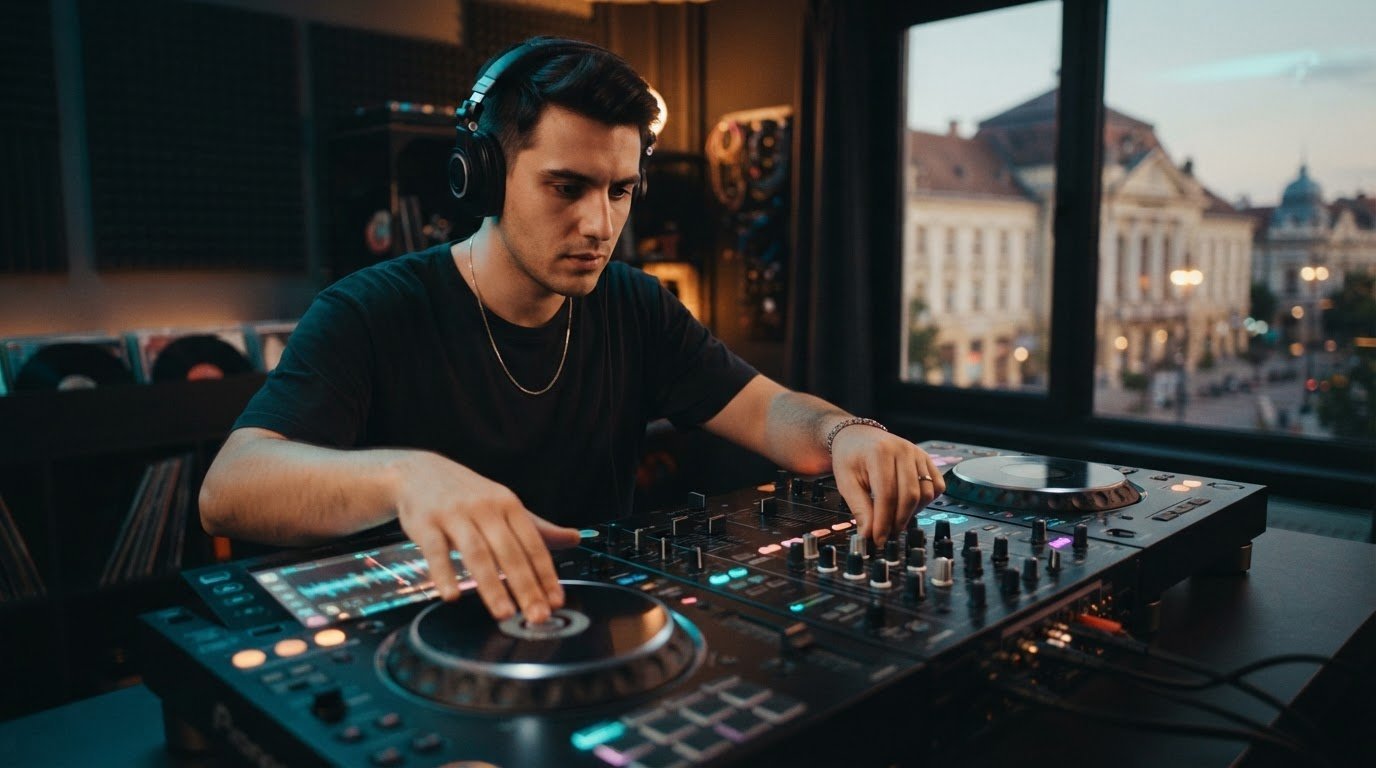

The track is ready, the room is waiting, and the XDJ-1000MK2’s touchscreen suddenly feels like a maze. Learning how to use pioneer xdj 1000mk2 is about more than finding the play button. You need a reliable routine that takes you from prepared music to a confident mix, even when the controls are new.
If loading a track, setting a cue, or matching beats feels uncertain, you’re not alone. The touchscreen workflow takes practice, but the essentials become familiar with repetition. This guide covers how to prepare your music, browse and load tracks, set cues, and bring the next tune in with control.
Follow one repeatable sequence: prepare, browse, cue, mix, and recover if something goes off plan. Practise each step without rushing, so the player feels less like a puzzle and more like an instrument. Then take those habits into hands-on practice on professional DJ equipment at Book a DJ Studio in Timișoara.
Key Takeaways
- Understand how the XDJ-1000MK2, mixer, headphones, and prepared music work together.
- Learn how to use pioneer xdj 1000mk2 to find and load tracks and build a reliable touchscreen routine.
- Use headphone monitoring and small tempo or jog adjustments to guide your first two-track mix.
- Follow straightforward checks when music does not appear or cue monitoring and audio routing are not working as expected.
- Make practice sessions useful by reviewing a recorded set and choosing what to refine next time.
What the Pioneer XDJ-1000MK2 Does, and What You Need Before You Start
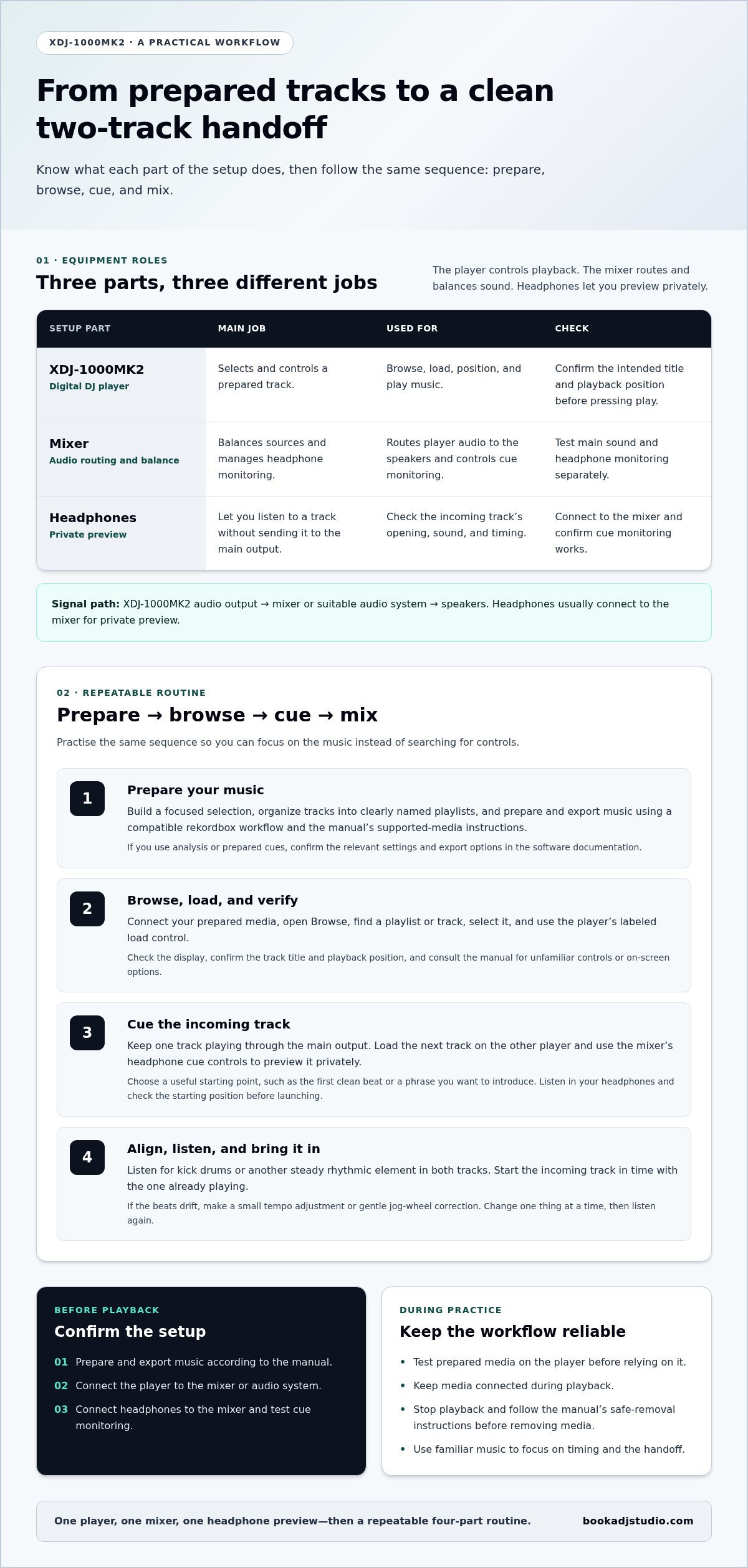
The XDJ-1000MK2 is a digital DJ player. It plays prepared music and gives you control over playback, but it is not a mixer or a complete DJ setup. The player sends audio to a mixer or suitable audio system, which routes the sound to the speakers. Headphones usually connect to the mixer so you can preview a track privately.
Pioneer DJ, the manufacturer of the XDJ-1000MK2, is also associated with rekordbox, which DJs can use to prepare music for compatible player workflows.
Understand the player, mixer, and headphones
Keep each part’s job in mind: use the player to select and control a track, and the mixer to balance sources and manage headphone monitoring. Cueing lets you preview the next track without sending it to the main output. That gives you a chance to check its opening and timing before bringing it into the mix.
Prepare your music and connections
Prepare music through a compatible rekordbox workflow, and follow current software guidance and the XDJ-1000MK2 manual for export and supported-media requirements. Before loading a track, confirm that the player’s audio output reaches the mixer or audio system. Test the main sound and headphone monitoring separately so you know where to look if one is silent.
- Prepare and export music according to the manual.
- Connect the player to the mixer or audio system.
- Connect headphones to the mixer and test cue monitoring.
Prepare Tracks and Find Your Way Around the XDJ-1000MK2
A smooth session starts before you touch the player. Build a focused selection, export it using a compatible rekordbox workflow, connect your media, then browse and load a track. This sequence keeps you focused on the music instead of searching through folders mid-set.
For model-specific features and terminology, refer to the official Pioneer DJ XDJ-1000MK2 product page and the player’s manual. Software versions and settings can affect preparation, so use current rekordbox guidance alongside the player instructions.
Prepare and organize tracks before your session
Give your practice playlist a purpose. Group tracks to practise smooth tempo changes, build a warm-up sequence, or explore one energy level. Clear playlist names and tidy file organization make the right track easier to find, especially while you are learning the touchscreen workflow.
Analyze tracks and prepare cues in rekordbox if those tools suit your workflow, but confirm the relevant settings and export options in the software documentation. Do not assume analysis or cue data will transfer exactly as expected. Test your prepared media on the player before relying on it for a performance or recording session. A quick check can reveal missing tracks or organization issues while there is still time to fix them.
- Choose a focused set of tracks and organize them into playlists.
- Prepare and export the library using a compatible rekordbox workflow and the manual’s supported-media instructions.
- Connect the media, open the player’s Browse screen, and locate the playlist or track you want.
- Select the track, load it using the player’s labeled controls, and confirm the title and playback position before pressing play.
Browse, load, and check a track
Use the Browse screen to move through your prepared library. Find a playlist or search for a track, select it, and use the player’s load control. Labels and on-screen options can vary by view, so follow the display and check unfamiliar steps in the manual rather than relying on memory from another player. Before starting, confirm that the intended title is loaded and the playback position is where you expect.
Keep your media connected during playback. Before removing it, stop playback and follow the manual’s safe-removal instructions. Rehearse the sequence until it feels automatic: prepare the library, export, connect, browse, load, and verify. In Timișoara, hands-on DJ studio access gives you a focused space to practise a player-and-mixer workflow with your prepared music.
Cue, Beatmatch, and Mix Your First Two Tracks
Your first blend does not need flashy tricks. Aim for a clean handoff: keep one track playing, prepare the next in your headphones, align the beats, then bring it into the mix. That repeatable sequence is central to how to use pioneer xdj 1000mk2 in a real DJ setup.
Set a cue and preview the incoming track
Cueing lets you prepare the incoming track privately before the audience hears it. Start one track through the main output. Load the next track on the other player, then use the mixer’s headphone cue controls to listen without interrupting the outgoing track.
Choose a useful starting point in the incoming track, such as its first clean beat or a phrase you want to introduce. Use the player’s transport and search controls to position playback, then set or return to the cue point according to the XDJ-1000MK2 manual. Check the labels and touchscreen options rather than assuming every cue function works like it does on another player. Listen in your headphones and confirm the sound and starting position before launching the track.
Start with familiar music. Knowing where the intro, vocal, and main groove land lets you focus on timing instead of guessing what comes next. The in-depth review by Digital DJ Tips offers another perspective on the player’s controls and workflow.
Match tempo and make a clean transition
With the incoming track cued, listen for the kick drums or another steady rhythmic element in both tracks. Start the new track in time with the one already playing. If the beats drift apart, make a small tempo adjustment or a gentle jog-wheel correction, then listen again. Change one thing at a time. Large corrections can make the tracks jump past each other; careful adjustments help you hear whether the incoming track is running fast or slow.
- Keep the outgoing track audible and preview the incoming track through headphones.
- Start the incoming track at a musically suitable moment and listen for beat alignment.
- Make small tempo or jog corrections until the beats hold together.
- Use the mixer to introduce the incoming channel gradually, adjusting its level and EQ to suit the tracks.
- Complete the handoff by easing down the outgoing channel when the new track carries the mix.
No single transition fits every pair of tracks. A vocal-heavy section may call for a different EQ approach than two instrumental grooves. Keep changes gradual, watch your levels, and avoid pushing both channels too hard at once. Repeat the same transition with the same tracks until the timing and phrasing feel consistent. Then switch tracks and use the same listening-first method. Your hands learn the controls, but your ears lead the mix.
Fix Common XDJ-1000MK2 Practice Problems Without Losing Your Flow
A track will not show up, the headphones are silent, or the main mix is not reaching the speakers. Pause before changing settings at random. A simple symptom, check, next step routine can help isolate the issue. Troubleshoot the media, connections, and monitoring path separately.
When a track or playlist does not appear
Symptom: Your USB media is connected, but the expected playlist or track is not visible. Check: Confirm you are browsing the intended location, then reconnect the media securely and look again. Make sure the music was prepared and exported using a rekordbox workflow compatible with the player.
If the playlist is still missing, do not repeatedly export without checking the cause. Review the export settings and compare the media with the XDJ-1000MK2 manual’s requirements for supported media and file formats. These details are model-specific, so verify them in the manual rather than relying on advice for another player. If the drive or files are still not recognized, consult the manual’s troubleshooting guidance before changing the drive format or rebuilding your library.
When you cannot hear the cue or main mix
Symptom: The track plays, but you cannot hear it in your headphones or through the main system. Check: Trace the signal one step at a time. Confirm the headphones are firmly connected to the mixer, the headphone level is audible, and the correct channel or cue source is selected. Then check that the player’s audio output reaches the intended mixer input and that the mixer’s output is connected to the audio system.
Test the main output and headphone cue independently. If the main mix is audible but the cue is not, focus on the headphone connection and mixer monitoring controls. If neither is audible, check the player-to-mixer path and the mixer output. Use low listening levels while testing, and change one connection or control at a time so you can tell what made the difference.
- Media problem: Recheck the Browse location and connection, then verify preparation and supported-media requirements in the manual.
- Unexpected audio routing: Follow the signal path from player output through mixer input to the main system.
- No cue in headphones: Check the headphone connection, level, and mixer cue selection.
Avoid guessing at touchscreen menu paths or changing settings just because a fix worked on another model. If basic connection checks do not solve the problem, use the official manual for the relevant model-specific instructions or support guidance. Knowing how to use pioneer xdj 1000mk2 also means knowing when to stop experimenting and verify the next step.
Practise these checks in a calm session, not for the first time during a set. In Timișoara, book DJ studio access to practise a player-and-mixer workflow and get comfortable tracing the signal path.
Build Confidence on Club-Style Gear, and Take Your Practice Further
Confidence comes from repetition, not from trying every feature at once. Turn the workflow into a short practice loop: browse for a track, cue it, mix it with the track already playing, review the transition, then repeat. Pick one goal for each session, such as finding cue points faster or keeping the beats aligned through a blend.
Turn the walkthrough into a repeatable practice session
Start with two familiar tracks and focus on one skill. Choose smoother headphone cueing, a steadier beatmatch, or a cleaner handoff between phrases. Repeat the same transition until you can hear what needs adjusting without rushing to change several controls at once. Then swap one track and see whether the routine still holds.
Keep a brief practice note after each run. Record the track pair, where the transition felt strong, and what you want to refine next time. Audio recording can help you hear timing and level changes after the session. Video can also help you review your hands and player workflow. Treat recording as an optional review tool, not a substitute for listening closely while you mix.
- Set one clear goal for the session.
- Browse, cue, and mix a short sequence of tracks.
- Review the transition and note one adjustment to try.
- Repeat the sequence, then build toward a longer set when it feels consistent.
Practise your workflow in a professional studio
Working on professional players and mixers helps you apply the routine in a focused DJ setup. Practise navigating the player, monitoring through headphones, managing mixer levels, and staying composed when a transition needs a correction. Hands-on time makes the workflow feel more familiar, leaving you more attention for track selection, phrasing, and the energy you want to build.
Book a DJ Studio provides a professional DJ studio for rent in Timișoara, with a booth equipped with players and mixers. Use a session to strengthen transferable habits, from browsing and cueing to monitoring and mixing. For another perspective on building your skills, explore Master Your Mix: The Ultimate Guide to Finding a DJ Practice Studio in Timișoara.
Keep your next session focused: bring a prepared playlist, choose a transition to practise, and leave time to review what you hear. You can also add audio recording, 4K video recording, or a livestreaming setup to capture or share your session.
Take Your Next Session From Practice to Progress
Make your next session about one clear improvement, not a perfect set. Choose the moment where you hesitate, then give yourself room to work on it without pressure. The payoff of learning how to use pioneer xdj 1000mk2 is building habits you can carry onto different club-style setups and trust when the room gets loud.
Give your ears time to develop alongside your hands. After practice, note what felt natural and what still needs attention. Then come back with fresh focus. Small, deliberate sessions build confidence to take creative risks and shape a sound that feels unmistakably yours.
Ready to put that momentum into practice? Book a DJ studio session in Timișoara and work on your next idea with professional DJ equipment. Bring a prepared playlist and one transition to refine, then use the session to build a routine you can repeat.
Frequently Asked Questions
Is the Pioneer XDJ-1000MK2 a standalone player or a controller?
It is a digital media player, not an all-in-one DJ controller. It plays music from prepared media, but it does not combine multiple decks or replace a mixer. For a basic setup, connect the player to a mixer or suitable audio system. Think of it as one deck in a larger booth, rather than a complete DJ setup by itself.
Can I use the XDJ-1000MK2 without a laptop?
Yes. You can play music from compatible prepared media without keeping a laptop connected during your set. A computer may still be useful beforehand for organizing tracks and preparing your library. For a laptop-free rehearsal, export a small playlist, test it on the player, and keep a backup copy of your music in case your main media has a problem.
How do I prepare a USB drive for the XDJ-1000MK2?
Prepare and export your music through a rekordbox workflow that supports the player, then check the XDJ-1000MK2 manual for the required media and file-format details. Do not format a drive based on assumptions or instructions for another model. Before a session, test that your playlists and tracks appear as expected, and keep a separate copy of important music files.
Can I use rekordbox with the Pioneer XDJ-1000MK2?
Yes. rekordbox can be part of the music-preparation workflow for the XDJ-1000MK2. Use it to organize your library and prepare tracks for export, while checking the current software documentation for supported features and settings. If you update your software or change how you export music, test the resulting media on the player before relying on it for a recording or performance.
What should I check if the XDJ-1000MK2 does not recognize my media?
Start with simple checks: reconnect the media securely, confirm you are browsing the correct library location, and test whether other prepared tracks appear. If the issue remains, review your export process and compare the drive and files with the model’s manual. Avoid reformatting immediately, since that can erase your music. Use the manual’s troubleshooting instructions if the player still does not recognize the media.
How do I practise beatmatching on the XDJ-1000MK2?
Choose two familiar tracks with clear, steady beats, then practise aligning their kick drums by ear. Start the incoming track at a musical point, listen for drift, and make one small tempo or jog adjustment at a time. Try the exercise with sync features off if your setup and workflow allow it. The goal is to hear which track is early or late before correcting it.
Can I practise on professional DJ equipment in Timișoara?
Yes. Book a DJ studio practice session in Timișoara to work hands-on with professional players and mixers. Studio access gives you a focused booth environment for applying your preparation and mixing routine. Audio recording, 4K video recording, and a livestreaming setup are optional additions for capturing or sharing a session.